EasyManua.ls Logo

Strong SRT 3002 - User Manual

Strong SRT 3002
25 pages
Print Icon
To Next Page IconTo Next Page
Loading...
User Manual
Bedienungsanleitung
Uživatelská příručka
Používateľská príručka
Használa útmutató
Ръководство за употреба
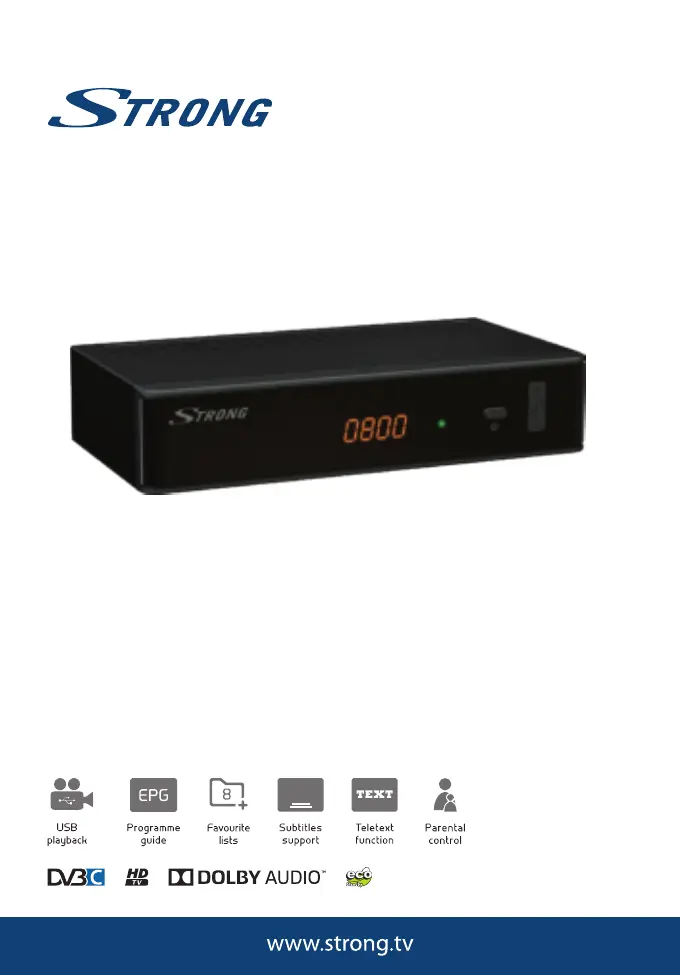
Digital HD Cable Receiver
SRT 3002
Picture similar

Questions and Answers

  • L
    Lisa CurryAug 14, 2025
    What to do if my Strong Receiver says no signal found?
    • J
      Jessica HallAug 14, 2025
      If your Strong Receiver displays 'No signal found', the cable input might be disconnected. Check the cable lead. If the issue persists, consult your dealer.
  • S
    Suzanne WatersAug 17, 2025
    What to do if my Strong SRT 3002 Receiver remote control is not responding?
    • D
      davidwhiteAug 18, 2025
      If your Strong Receiver isn't responding to the remote control, several factors could be at play. First, ensure the receiver is plugged in and powered on. Next, make sure you're aiming the remote directly at the front panel of the receiver without any obstructions. Finally, the remote batteries may be exhausted, so try replacing them.
  • E
    Eric McbrideAug 21, 2025
    Why is there no picture or sound on my TV or amplifier from my Strong SRT 3002 Receiver?
    • J
      John RogersAug 21, 2025
      If you are seeing a 'No picture or sound' message on your TV or amplifier when using your Strong Receiver, it could be due to a few reasons. Ensure that the correct HDMI or SCART input is selected on your TV or amplifier. Also, the receiver might be set to a higher resolution than your TV supports, so select a lower resolution on the receiver. Lastly, verify that your TV/amplifier is switched on and check the S/PDIF connection if it's in use.
  • M
    michelleolsonAug 25, 2025
    Why are signals interrupted or blocking visible on the screen of my Strong SRT 3002?
    • D
      David ClarkAug 25, 2025
      If you're seeing interrupted signals or blocking on the screen with your Strong Receiver, it's likely due to weak cable signals or interference. Press the INFO button on your remote twice to check the signal bars and inspect your cable connections. Also, using multiple splitters can cause interference. If problems persist, consult your dealer.
  • I
    Ian JohnsonAug 27, 2025
    What to do if my Strong SRT 3002 Receiver shows a scrambled channel message?
    • M
      Mitchell DoughertyAug 28, 2025
      If you're seeing a 'Scrambled channel' message on your Strong Receiver, it simply means that the channel you've selected is scrambled. To resolve this, try selecting an alternative channel.
  • H
    Hannah DonaldsonAug 31, 2025
    How to fix a Strong Receiver with LED indicator not lit?
    • T
      tristanwatsonAug 31, 2025
      If the LED indicator on your Strong Receiver is not lit, the mains lead might be unplugged. Check the mains plug to ensure it is properly connected.
  • M
    Mark BrockSep 3, 2025
    Why does my Strong SRT 3002 Receiver switch off automatically?
    • K
      Kelly WalkerSep 3, 2025
      If your Strong Receiver switches off automatically, the Auto Standby function might be enabled. Disable the auto standby feature. See section 7.3.8 for details.
  • G
    George MillerSep 6, 2025
    Why does my Strong Receiver have picture freeze during video playback?
    • L
      Lori DiazSep 6, 2025
      If video playback or Timeshift on your Strong Receiver is causing picture freeze, macro blocks, or similar distortion, especially with HD content, the read/write speed of your USB device could be too low. Use a USB storage device with sufficient speed and space; pen drives may not offer sufficient speed.
  • B
    Benjamin RiceSep 9, 2025
    What is the default PIN code for a Strong SRT 3002 Receiver?
    • M
      Michaela MillerSep 10, 2025
      The default PIN for your Strong Receiver is 1234. For further assistance, contact your local Service Hotline or send an email to Support via www. strong.tv.

Strong SRT 3002 Specifications

General IconGeneral
BrandStrong
ModelSRT 3002
CategoryReceiver
LanguageEnglish

Related product manuals