Page 23 of 38
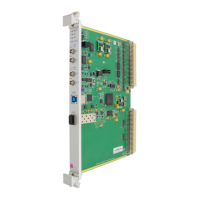
6 LEDs
6.1 Front Panel LEDs
The six LEDs close to the top of the SIS3153 have the following function.
To be switched on/off under user program control (see USB
Control/Status register
(VME access to VME slave port of SIS3153, future option)
VME master, lit whenever the SIS3153 accesses the VME bus
Power, signals presence of +3.3 V supply voltage
USB or Ethernet connection status (see below), depends on SW162-3
Ready, lit when on board logic is configured (off during power up LED
self test)
During power up self test and FPGA configuration all LEDs except the Ready (R) LED are
on. After the initialisation phase is completed, all LEDs except the Ready (R) LED and the
Power (P) have to go off. The status of the L LED depends on the status of the USB
connection.
Depends on the position of the Switch-3, the Link Led “L” indicates the status of the USB or
Ethernet connection.
SW162-3 = Off:
The L LED will flash N times approximately every 4 seconds. N indicates USB connection:
USB1 connection or not connected
SW162-3 = On:
The Link LED indicates after Power-Up and booting the FPGA the Ethernet Link Status:
- blinking with 4 Hz (every 0.25 sec) indicates no Ethernet Link
- blinking with 0.8 Hz (every 1.25 sec) indicates DHCP request busy
- blinking with ping access


 To Next Page