INSTALLATION, CONT’D: BATTERY BACKUP SYSTEM GUIDE / PRE-CHARGING BATTERY
7
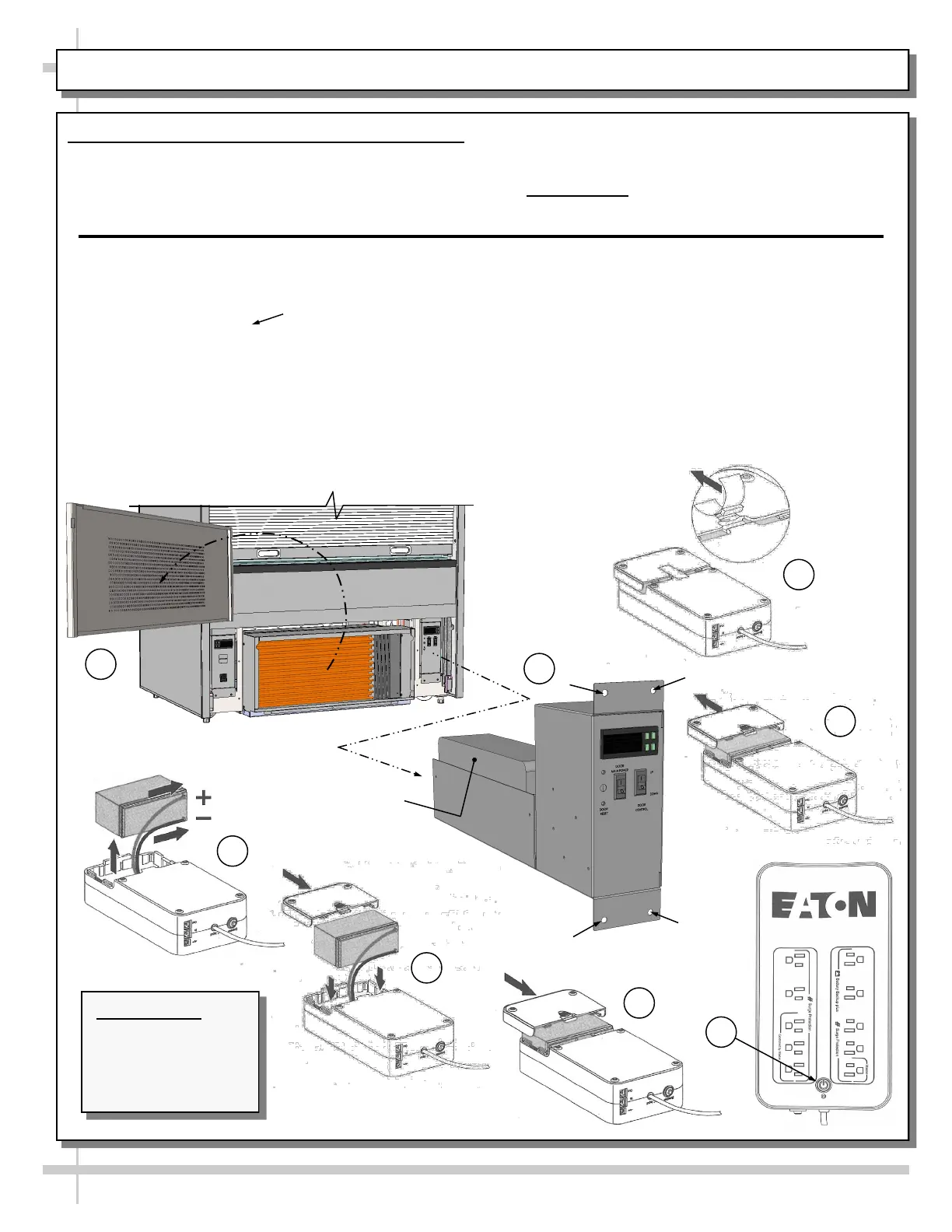
5. Connect Battery To Battery Backup System
Important Notes:
A. Battery is shipped DISCONNECTED to system.
You MUST connect battery to the battery backup
system at installation!
1
2
4
Eaton® 3S Battery
Backup System
5
6
7
8
Carefully follow these instructions:
1. Remove front grille from case to access the battery
backup system.
2. Remove (4) screws ( ) and slide door
controller box out from case to access Eaton 3S
Unit.
3. Peel off tape with rubber spacer (at its underside).
4. Slide battery cover off the Eaton 3S unit.
5. Pull out battery and connect the battery wires firmly
to battery terminals; red to positive (+) and black to
negative (-).
6. Insert battery back into the unit’s compartment.
7. Slide the battery cover on the unit until release
tab locks into place.
8. Press the power button on the unit.
>> Return unit to door controller box compartment.
>> Slide controller box back into case; replace the
(4) screws.
>> Return front grille to case.
>> Allow the battery to charge for 24 hours before
using electronically controlled door.
3
B. Battery must be connected & charged for
24 hours before operating the electronically
controlled door!
• Internal Note: Any changes to this document
must also be made to P/N 20-90377.
Internal Note: Any
changes to this
document must
also be made to
P/N 20-90377.









 To Next Page