Pcs. Description
1 Allen key with cross handle, 4x150
1 Spacing disc
1 Instruction Manual set
5.3 Installation - LaboForce-100
Note
This device must be mounted securely on the machine.
Note
Do not use the Turn/push knob knob to move LaboForce-100.
Procedure
1. Install the specimen mover in the support hole of the
machine.
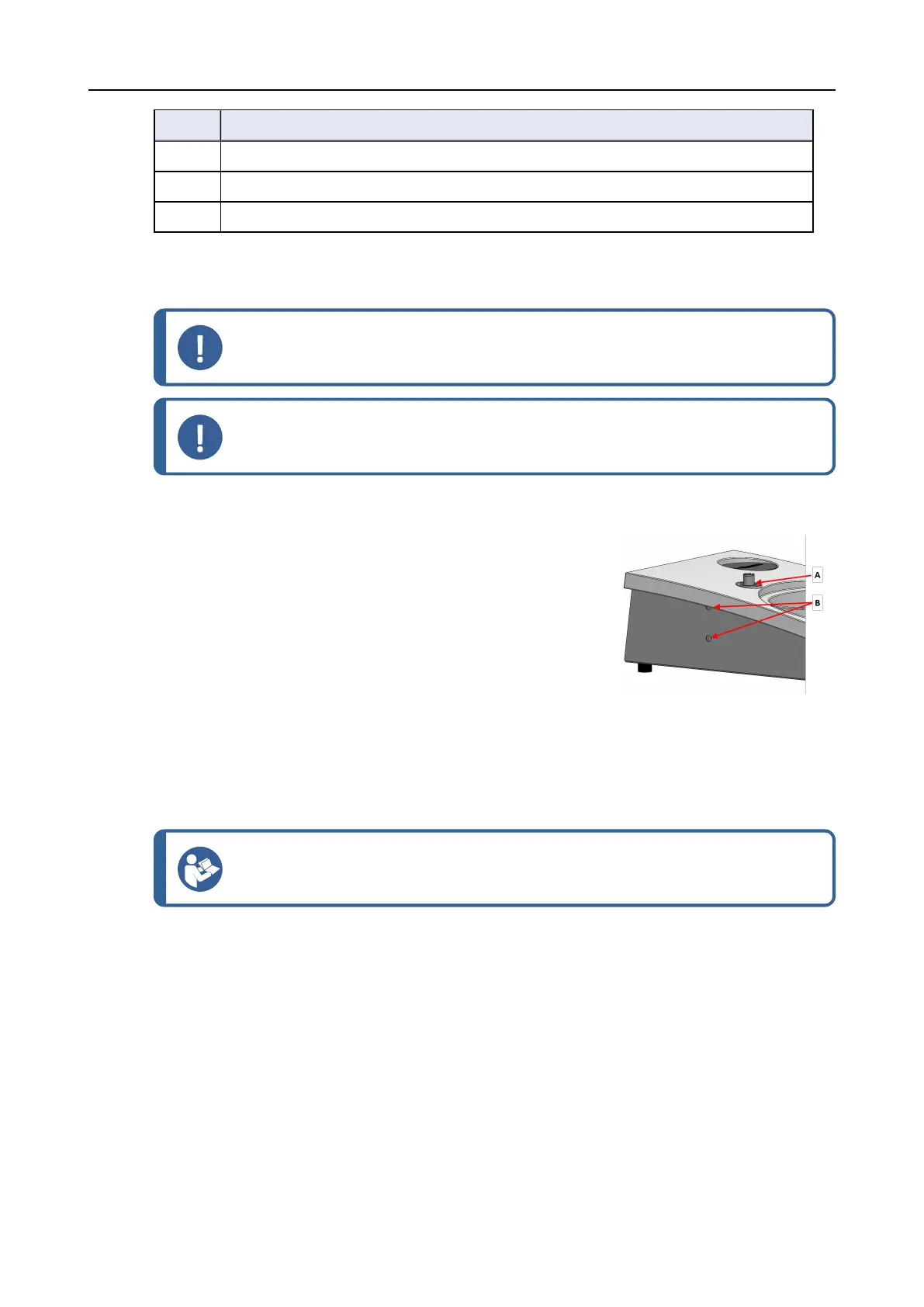
2. Use the Allen key to tighten the two fastening screws. Do
not tighten the screws completely.
A Support hole
B Fastening screws
5.4 Electrical connection to the machine
Hint
The communication cable in the support hole is not used for LaboForce-100.
The cable attached to LaboForce-100 provides a 24 V power supply and a data bus, which enables
the machine and LaboForce-100 to communicate.
1. Switch off the machine.
2. Connect the cable to the LaboForce-100 connector on the back of the machine.
10 LaboForce-100
5 Installation


 To Next Page