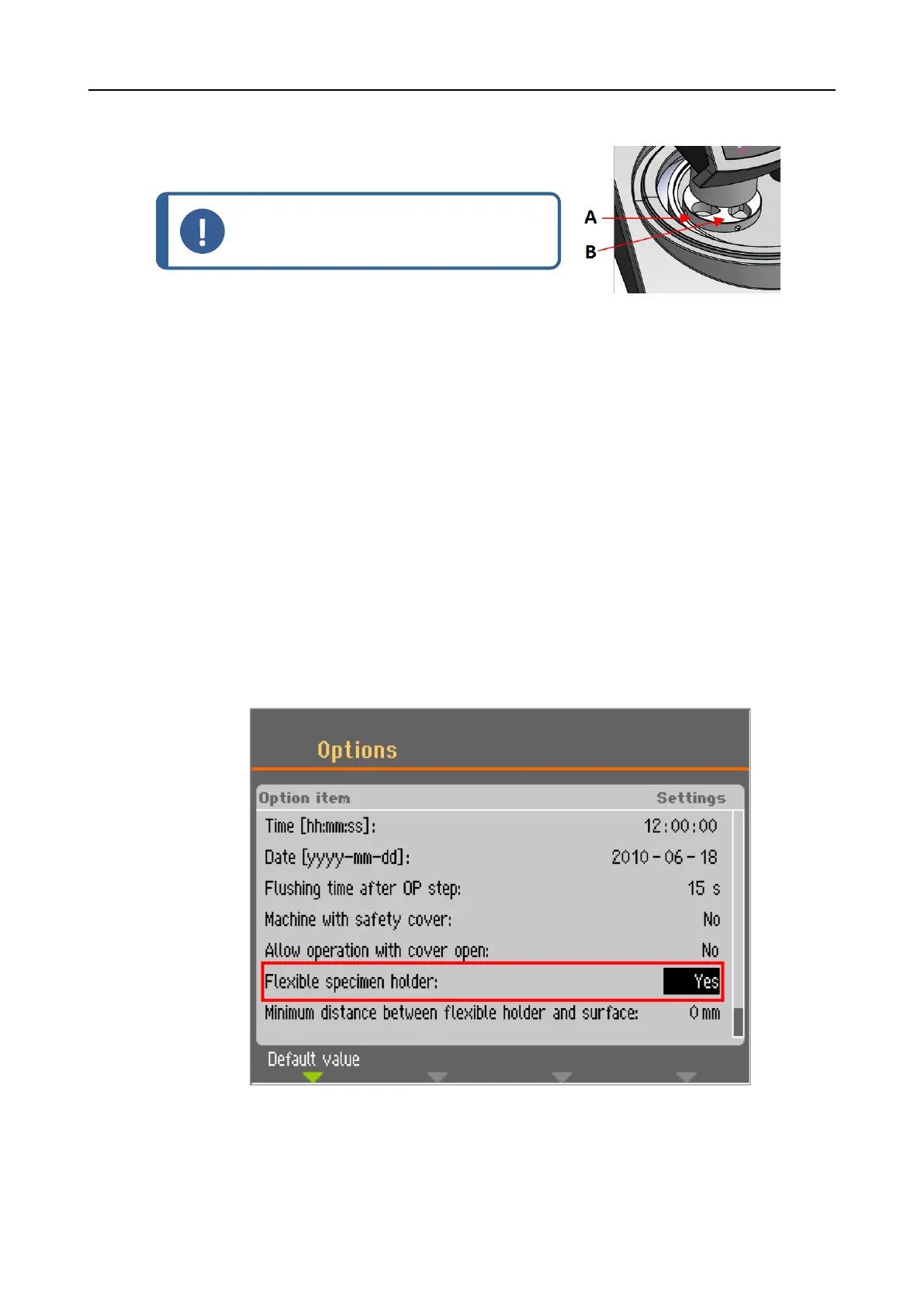
With a Wet grinding disc
1. Place the specimen mover plate in a position 2 – 3 mm
from the metal ring.
Note
The column can only be turned slightly.
Do not force it.
A Metal ring
B Specimen holder
5.6.5 Completing the adjustment
1. Tighten the 2 fastening screws firmly. The specimen mover will now remain in position.
2. Cover the holes with the two caps.
Allen key and cover caps are included in the package.
5.7 The flexible specimen holder
1. From the Main menu screen select Flexible specimen holder methods.
2. If the menu item Flexible specimen holder methods is not available in the main menu, you
must activate it in the software:
– In the Configuration menu, select Options.
– Set Flexible specimen holder to Yes.
5 Installation
LaboForce-100 15


 To Next Page