8 Troubleshooting
For troubleshooting guidance, see the specific machine manual.
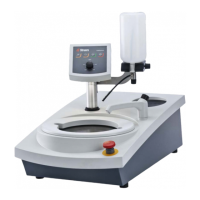
8.1 LaboForce-100
Error Cause Action
Specimen holder plate
vibrates.
Specimen holder plate
unbalanced.
Replace specimen holder
plate.
Specimen holder plate screws
loose.
Tighten specimen holder
plate screws.
The preparation disc runs
unevenly or stops.
Force too high. Reduce the force.
The preparation disc stops. Frequency inverter has
stopped the equipment.
Switch the equipment off.
Wait for a few minutes then
Re-start.
If the error remains: Contact
Struers Service.
The column starts to turn. Column screws loose. Tighten the screws
immediately.
Uneven specimens. Specimens are wider than the
radius of the preparation disc.
Use smaller specimens.
Specimens are passing over
the center of the disc.
Reposition the horizontal
position of the control panel.
Continuous, irregular wear on
a grinding/polishing surface.
Coupling on the specimen
holder is worn.
Replace the coupling.
8.1.1 Messages and errors - LaboForce-100
Error messages are divided into two classes:
• Messages and errors
Messages
Messages provide information about the machine’s status and minor errors.
Errors
Errors must be corrected before operation can be continued.
Press Enter to acknowledge the error/message.
8 Troubleshooting
LaboForce-100 25


 To Next Page