16
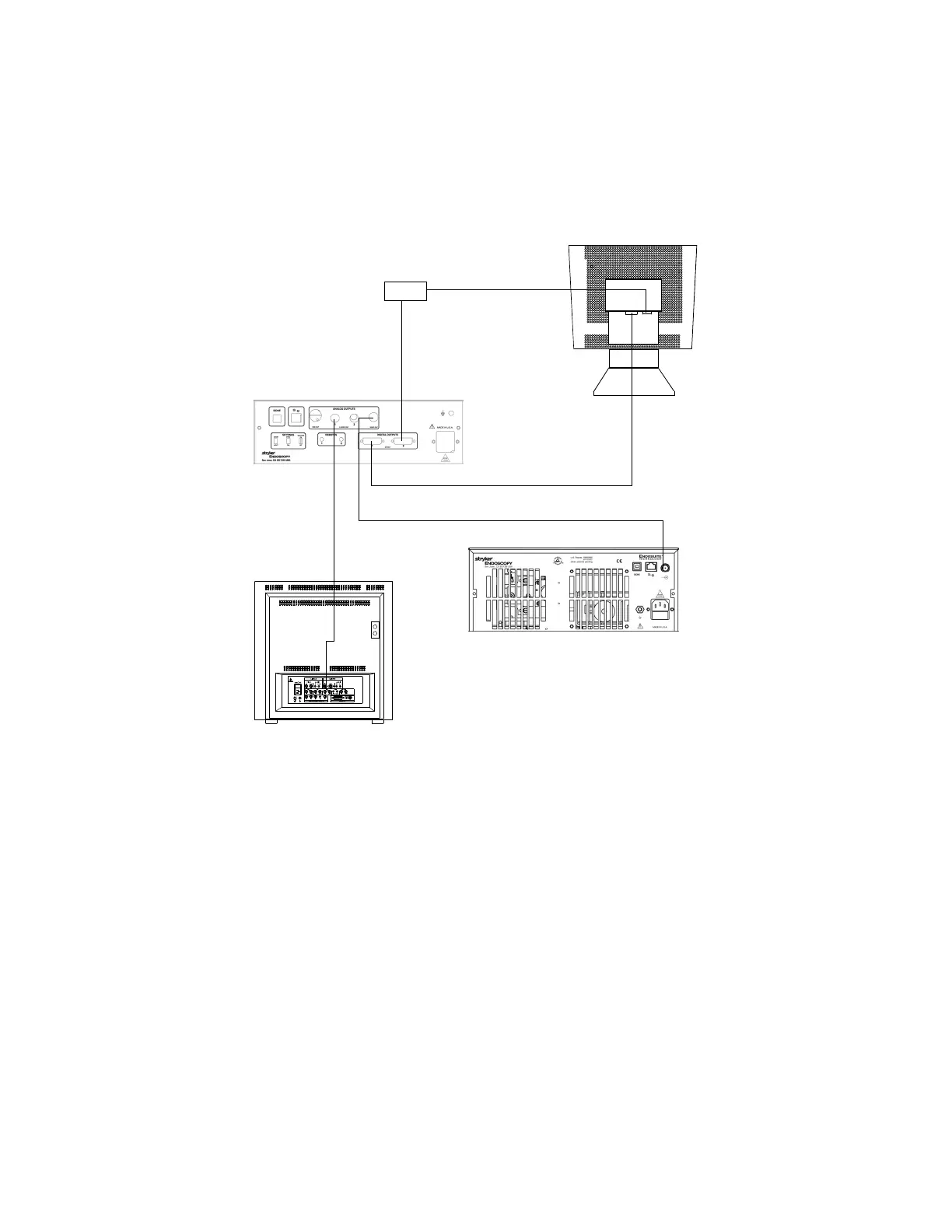
Wiring Diagram 3: Camera, Light Source, Flat-Panel Monitor, and
CRT Monitor
Note If you are using any device with unterminated analog video
inputs, you must connect a cable from the VIDEO OUT of
that device to the VIDEO IN on the monitor.
Note An additional monitor may be connected using any open
camera output.
3. Power on the monitor.
4. Power on the camera.
Note A color bar pattern will appear on the monitor when the
camera head is not connected to the camera console.
Follow the instructions in the “Setting Up the Camera
Head” section of this manual to connect the camera head
to the console.
X7000 Light Source
VGA
1088 Camera
CRT Monitor
StrykerVision 1 Monitor
DVI
S-VHS
BNC
DVI-I / VGA
Adapter
DVI


 To Next Page