Cleaning and Maintaining the 1088 Camera
25
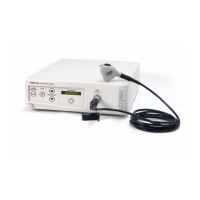
Cleaning the Camera Console
Warning Disconnect the console from the AC power source
before cleaning.
Should the camera console need cleaning, wipe it down with a sterile
cloth and mild cleaning solution.
Caution Never immerse or sterilize the camera console as this
will damage the camera and void the warranty.
Cleaning the Camera Head
Warning The camera head and cable must be cleaned and
sterilized prior to the first use and after every
subsequent use.
1. Immediately after use, unplug the camera-head connector from
the console and protect it with the soaking cap. Place the cap
over the connector and turn it clockwise until secure.
Caution Always install the soaking cap before rinsing the
camera. Failure to properly tighten the soaking cap will
corrode the connector pins and void the warranty.
2. Rinse the camera head and cable in lukewarm tap water. Use a
mild enzymatic detergent and a soft brush to remove resistant
debris and bioburden from all surfaces.
3. Rinse off all soap residue with water.
4. Clean glass surfaces with alcohol.
5. Dry the camera head and cable thoroughly with a soft towel or
gauze surgical sponge.
6. Prepare the camera head and cable for disinfection by coiling the
camera cable into a loop about ten inches in diameter, avoiding
any kinks or twists in the cable.
Cleaning and Maintaining the 1088 Camera


 To Next Page