10
The Camera Head
The camera head connects to the camera console and captures video
and photographic images, which it relays to the camera console. It
features several controls that are accessible through a button control pad
located on the top of the camera head (see the Operating the Camera
Head section of this manual).
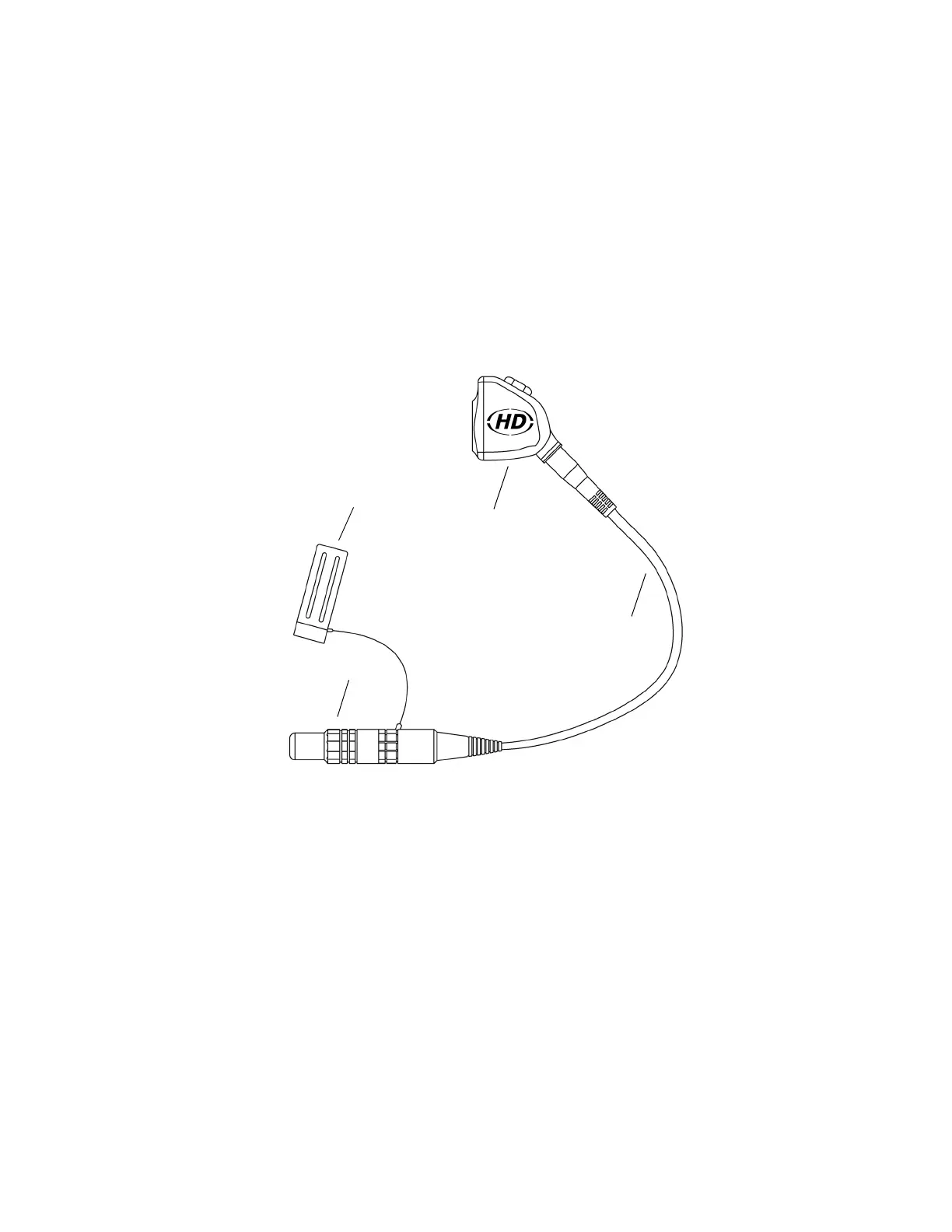
Figure 2 below lists the features of the camera head.
Figure 2: The 1088 HD Camera Head
1. Soaking Cap: Protects the cable connector during cleaning and
sterilization
2. Camera Head: Captures photographic and video images,
provides camera controls, and connects to a focusing coupler
3. Camera Cable
4. Cable Connector: Connects the camera head to the camera
console
1
2
3
4


 To Next Page