card 2A
Connecting thermal transfer devices
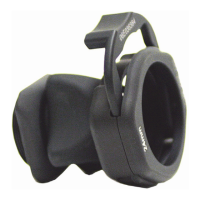
Therearetwoconnectortypesfor
Stryker’sthermaltransferdevices:
Clik-Titeandcolderstyle.
Pre-filling the thermal transfer devices
1. Openalloftheclampsontheconnectorhoseandthermal
transfer device.
2. Makesurethatthecontrolleris
powered.
3. TaptheManualmodebutton.
4. TapConrm.
5. Selectawatertemperaturethat
alignswithyourtargetpatient
temperature.Allowthewaterto
owfromthecontrollerintothe
thermal transfer device until full.
6. TapConrm.
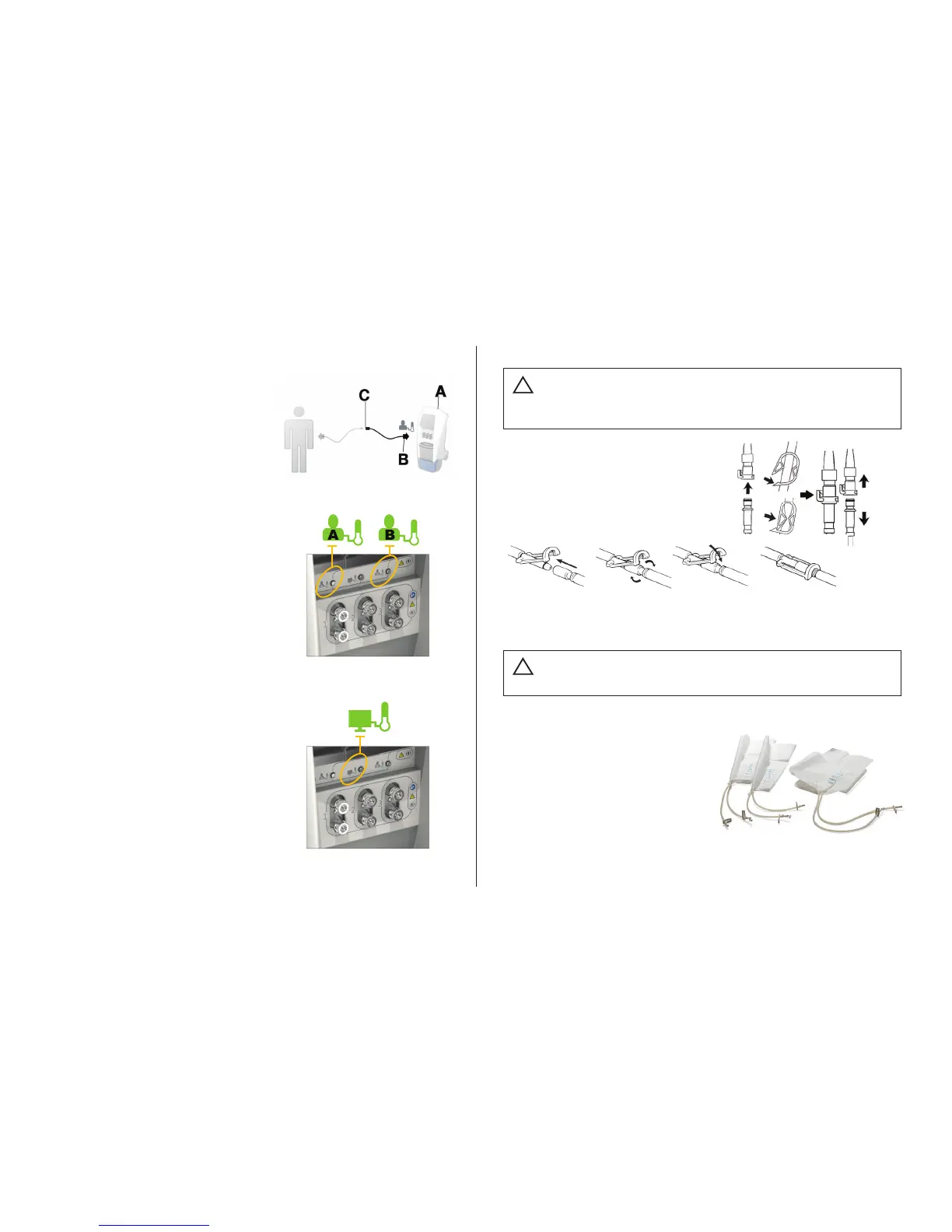
Connecting patient
temperature probe
• AlignthereddotontheReusable
AdapterCable(B)tothecontroller
(A) probeportAorB.
• Connecttheplug(C)tothepatient
temperatureprobe.
Selecting primary probe
1. TaptheSettingsbutton.
2. TapSelectProbetodisplaythe
SelectPrimaryProbe(ProbeAor
ProbeB)screen
Note:Primaryprobewilldefault
to Probe A.
3. TapConrm.
Connecting patient
temperature output cable
Thisfeatureallowstheoperatorto
viewthetemperatureontheAltrix
systemandonaseparatedevice.
• Insertthereusablepatient
temperatureoutputcableintothe
patienttemperatureoutputport,
located in between the Probe A and
ProbeBports.
AlwaysuseStrykeraccessories.Failuretocomplywiththese
instructions may invalidate any or all warranties and may
negativelyaffecttheproductsEMCperformance.Thisalso
protectstheproductfromcardiacdebrillation.
Patient
temperature
ptrobe
Reusable
adaptercable
Probeport
(AorB)
Colder
style
Clik-Tite
Caution
!
Caution
!
Alwayspre-llthethermaltransferdevicewithsteriledistilled
waterbeforeyouapplyittothepatient.Thisistoreducetherisk
ofpressureinjuries.









 To Next Page