To set I.D. Touch preferences
u Touch System Settings
u Touch Motor 1, 2 or 3
u Touch Motor Settings
u Touch Motor Options
• Set your preferences
for torque/I.D. Touch,
acceleration and braking
(0-100%)
u Touch Home
Everyone has a preferred way of working, and this can change based on the
procedure or patient at hand. To accommodate virtually any preference or need,
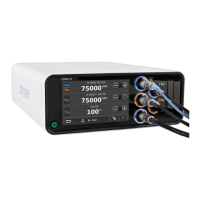
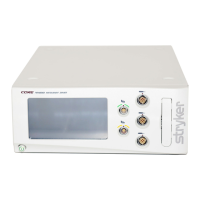
the CORE 2 console gives you unparalleled customization options. Here’s a look
at just some of the ways you can make your system your own.
Profiles/User preference screen
To create a Preset
• Touch Create
• Enter a name for your prole and
touch Next
• A list of motors will appear; touch
the one you want
• Manage Motor Options
to your liking
• Touch Next
• Touch Home
I.D. Touch
software:
Get the
perfect feel
Customize
to your liking
General Irrigation Motor Options Control Options Quick Access
Accelerate
Brake
I.D. Touch
Torque
95
%
35
%
30
%
PI DRIVE MOTOR Settings
Creating, editing, copying and transferring
To edit
• Select the Prole le
• Touch Edit
• Select desired motor and manage
Motor Options
• Touch Conrm
To copy
• Touch the Prole le
• Touch Copy
• Enter a name and touch Next
To transfer via USB
• Insert USB, touch
System Settings
• Touch Import/Export
• Choose Import or Export
• Touch the desired le or Select All
• Touch Conrm. A pop up
conrmation message will appear.
Dr. Nick
DEFAULT
Dr. Nick
Dr. Carly
Dr. Jack
Dr. Danette
Dr. Deirdre
A
B C D
A
Navigation bar – shows active
preset in use along with save,
conrm and home tabs
B Proles list – includes default
and existing user presets (stores
up to 100+)
C Vertical scroll bar – scroll to
nd your existing preset
D Preset options – allow you
to create, edit, copy, cancel or
delete a preset
I.D. Touch software brings a
unique level of optimization to
Stryker electric motors such as
πDrive and πDrive+. This software
enables you to adjust torque from
0-100% to customize how your
electric drill responds when pressure
is applied during use — from low
to high sensitivity. Acceleration
and braking can also be regulated
from 0-100%, collectively redening
drill performance to suit your
personal style.










 To Next Page