
 To Next Page

N
Nathan HughesSep 13, 2025
What to do if Stryker Crossfire 2 Medical Equipment RF probe is expired?
- AAngela SerranoSep 13, 2025
If the RF probe on your Stryker Medical Equipment is expired, replace the probe.

What to do if Stryker Crossfire 2 Medical Equipment RF probe is expired?
If the RF probe on your Stryker Medical Equipment is expired, replace the probe.
How to stop electrical interference in Stryker Crossfire 2 Medical Equipment?
If you're experiencing sporadic electrical interference with your Stryker Medical Equipment, try the following: * Power down all electrical equipment not in use. * Increase the distance between your unit and other electrical equipment. * Connect the unit and other equipment to different outlets.
What to do if temperature is higher than normal in Stryker Medical Equipment?
If the temperature of your Stryker Medical Equipment is higher than normal, allow the unit to cool before restarting it.
What causes RF probe communication error on Stryker Crossfire 2 Medical Equipment?
If you encounter an RF probe communication error on your Stryker Medical Equipment, and the cause is due to RF power, voltage, or current being too high, or low impedance being detected, check the probe for damage. If the RF delivery has exceeded the continuous limit, clear the error and continue.
What to do if Stryker Crossfire 2 Medical Equipment RF probe identification is invalid?
If the RF probe identification is invalid on your Stryker Medical Equipment, replace the probe.
What to do if disposable RF probe is not ready on Stryker Crossfire 2 Medical Equipment?
If the disposable RF probe is not ready on your Stryker Medical Equipment, first check the connection to the console. Ensure that the probe is securely attached to the console.
What to do if Stryker Crossfire 2 Medical Equipment RF probe communication error?
If there's an RF probe communication error with your Stryker Medical Equipment, check the connection to the console. If necessary, replace the probe.
What to do if Stryker Medical Equipment RF power is too high?
If the RF power is too high on your Stryker Medical Equipment, check the probe for damage. If necessary, replace the probe.
What to do if RF probe is expired on Stryker Medical Equipment?
If the RF probe is expired on your Stryker Medical Equipment, replace the probe with a new one.
What to do if Stryker Crossfire 2 exceeded time usage?
If the Stryker Medical Equipment has exceeded its time usage, replace the probe.
Specific warnings regarding fire and explosion hazards associated with the device's operation.
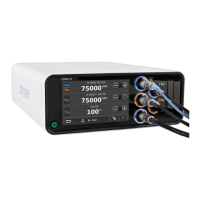
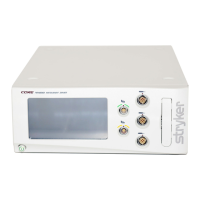
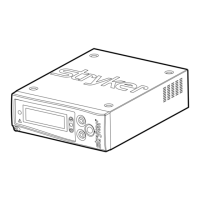
Description and identification of the console's front panel controls and indicators.
Specific orthopedic and arthroscopic procedures for which the system is indicated.
Conditions where the Crosseal system should not be used.
Troubleshooting common problems related to the Crossfire 2 console.
Troubleshooting issues related to disposable attachments.
Troubleshooting common footswitch connection or functionality problems.
 General
| Brand | Stryker |
|---|---|
| Model | Crossfire 2 |
| Category | Medical Equipment |
| Language | English |