EasyManua.ls Logo

Stryker Crossfire 2 - User Manual

Stryker Crossfire 2
66 pages
Print Icon
To Next Page IconTo Next Page
Loading...
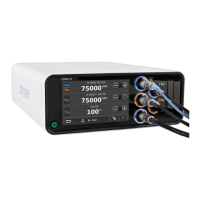
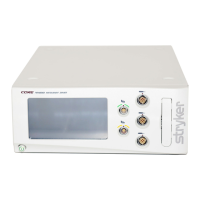
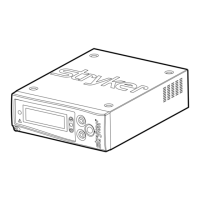
Crossfire™ 2
REF 0475100000
DRAFT

Other manuals for Stryker Crossfire 2

Questions and Answers

  • J
    Jeffrey BowmanSep 1, 2025
    What to do if the AC voltage is incorrect in Stryker Crossfire 2 Medical Equipment?
    • W
      William MontgomerySep 2, 2025
      If the AC voltage is incorrect for your Stryker Medical Equipment, turn the power off and on again. If the problem persists, contact a Stryker representative or return the console for repair.
  • N
    Nathan HughesSep 13, 2025
    What to do if Stryker Crossfire 2 Medical Equipment RF probe is expired?
    • A
      Angela SerranoSep 13, 2025
      If the RF probe on your Stryker Medical Equipment is expired, replace the probe.
  • S
    shaneandersonAug 31, 2025
    What to do if Stryker Crossfire 2 exceeded time usage?
    • J
      Joshua MorseAug 31, 2025
      If the Stryker Medical Equipment has exceeded its time usage, replace the probe.
  • S
    Stephanie GarciaSep 15, 2025
    What to do if Stryker Crossfire 2 AC voltage is incorrect?
    • B
      Brendan EspinozaSep 16, 2025
      If the AC voltage is incorrect on your Stryker Medical Equipment, try turning the power off and on again. If the problem persists, contact a Stryker representative or return the console for repair.
  • R
    Rebecca WalkerSep 15, 2025
    What to do if Stryker Medical Equipment electrical interference is sporadic?
    • J
      Jodi WalkerSep 15, 2025
      If you're experiencing sporadic electrical interference with your Stryker Medical Equipment: * Power down all electrical equipment not in use. * Increase the distance between the unit and other electrical equipment. * Connect the unit and other equipment to different outlets.
  • J
    Julie ScottSep 23, 2025
    What to do if disposable RF probe is not ready on Stryker Crossfire 2 Medical Equipment?
    • K
      keithsantanaSep 23, 2025
      If the disposable RF probe is not ready on your Stryker Medical Equipment, first check the connection to the console. Ensure that the probe is securely attached to the console.
  • B
    barbara87Aug 27, 2025
    How to fix a power-on self test error on Stryker Crossfire 2?
    • M
      Melissa NguyenAug 27, 2025
      If a power-on self test error has occurred with your Stryker Medical Equipment, turn the power off and on again. If the problem persists, contact a Stryker representative or return the console for repair.
  • T
    Todd DunnAug 27, 2025
    What to do if a software fault is detected in Stryker Crossfire 2?
    • L
      Lori RobbinsAug 27, 2025
      If a software fault is detected in your Stryker Medical Equipment, turn the power off and on again. If the problem persists, contact a Stryker representative or return the console for repair.
  • C
    Carl WilliamsAug 26, 2025
    What to do if a hardware fault is detected in Stryker Medical Equipment?
    • H
      Harry AlvarezAug 27, 2025
      If a hardware fault is detected in your Stryker Medical Equipment, turn the power off and on again. If the problem persists, contact a Stryker representative or return the console for repair.
  • K
    Krystal MartinezAug 25, 2025
    What to do if temperature is higher than normal in Stryker Medical Equipment?
    • T
      Travis WheelerAug 26, 2025
      If the temperature of your Stryker Medical Equipment is higher than normal, allow the unit to cool before restarting it.

Summary

Warnings and Cautions

Fire;Explosion Warnings

Specific warnings regarding fire and explosion hazards associated with the device's operation.

Prior to Surgery

During Surgery

After Surgery

Product Description;Intended Use

The Crossfire 2 Console

Front Panel

Description and identification of the console's front panel controls and indicators.

Rear Panel

The Crossfire 2 Interface

Arthroscopy Mode

Indications for Arthroscopic Use

Specific orthopedic and arthroscopic procedures for which the system is indicated.

Setup and Device Connections

Powering the Console On and Off

Adjusting User and System Settings

Arthroscopic Shaver Controls

Default Handpiece Controls

Default Footswitch Controls

RF Ablation Controls

Default footswitch controls

Adjusting CUT power

Dual Controls

Laparoscopy Mode

Contraindications

Conditions where the Crosseal system should not be used.

Vessel Sealing Controls

Vessel-Sealing Errors

Troubleshooting

Console

Troubleshooting common problems related to the Crossfire 2 console.

Hand-piece

Disposable Attachments

Troubleshooting issues related to disposable attachments.

Footswitch

Troubleshooting common footswitch connection or functionality problems.

Error Codes

Cleaning and Maintenance

Technical Specifications

Generator Output

Electromagnetic Compatibility

Stryker Crossfire 2 Specifications

General IconGeneral
BrandStryker
ModelCrossfire 2
CategoryMedical Equipment
LanguageEnglish

Related product manuals