EasyManua.ls Logo

Stryker Neptune 2 - Service Manual

Stryker Neptune 2
24 pages
Print Icon
To Next Page IconTo Next Page
Loading...
Instructions For Use
2013-03 0702-002-700 Rev-J www.stryker.com
Neptune
®
2
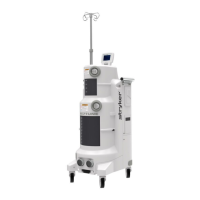
Waste Management System
Installation, Operation and Maintenance Guide
120 V Rover-ULTRA
0702-001-000
230 V Rover-ULTRA
0702-002-000
Stryker and Neptune are trademarks and/or registered trademarks of the Stryker Corporation.
ENGLISH (EN)

Other manuals for Stryker Neptune 2

Questions and Answers

  • S
    Sheryl OliverJul 29, 2025
    What to do if Stryker Neptune 2 experiences sporadic electrical interference?
    • H
      hharrisJul 29, 2025
      If you experience sporadic electrical interference with Stryker Medical Equipment, it may be due to electrical noise. Try the following: turn off all electrical equipment in the room, relocate the electrical equipment to maximize the distance between the equipment, increase spatial distance, and plug the equipment into different outlets.
  • S
    Stacy NorrisAug 3, 2025
    How to fix Stryker Medical Equipment if the power switch does not illuminate?
    • J
      Joseph WongAug 3, 2025
      If the power switch on your Stryker Medical Equipment does not illuminate when in the ON position, the power cord may not be connected securely. Ensure the power cord is properly and securely connected.
  • S
    suzannevaldezAug 9, 2025
    Why is my Stryker Medical Equipment docker not dispensing detergent?
    • J
      Jennifer PetersonAug 9, 2025
      If the Stryker Medical Equipment docker isn't dispensing detergent, there are several possible reasons. First, check that the detergent inlet tube is fully immersed in the detergent bottle. Second, ensure the detergent bottle isn't empty and replace it if needed, following the label instructions on the Stryker-approved detergent. Finally, confirm that the detergent inlet tube is securely connected to the detergent inlet port on the docker.
  • N
    Nancy LeeAug 15, 2025
    What to do if Stryker Neptune 2 rover will not dock?
    • K
      Kathryn RobertsAug 15, 2025
      If the Stryker Medical Equipment rover won't dock or an error occurs during docking, it could be due to an interruption in communication between the rover and docker. To resolve this, ensure the water inlet hose is correctly connected and that the facility water supply valve is open. Try docking the rover again. If it still fails, pull the rover away from the docker, remove and reapply power to the docker, wait 60 seconds, and then attempt to dock the rover again.
  • A
    Adam SingletonAug 21, 2025
    How to remove Stryker Neptune 2 rover if an error occurs during docking?
    • M
      Michael ChavezAug 21, 2025
      If an error occurs during docking and the Stryker Medical Equipment rover cannot be removed from the docker, the fluid connectors may be preventing removal. Remove and apply power to the docker, wait 10 seconds, and then pull the rover away from the docker.

Summary

Important Information and System Overview

Description, Indications, and Contraindications

Details the system's intended use, contraindications, and general description.

Compliance Statements and Accessories

Outlines FCC/IC compliance and lists compatible accessories.

User and Patient Safety

Critical Safety Warnings and Precautions

Essential safety warnings for operation, handling, and patient care.

System Features Overview

Key Component Identification

Identifies and describes the main physical components of the rover.

Control Panel Operation

Control Panel Buttons and Dials

Explains the function of each button and dial on the control panel.

Control Panel Display and Icons

Display Area Definitions

Describes the areas of the control panel display and their meanings.

Icon and Label Meanings

Defines the meaning of screen icons and button labels.

Instructions for Use: Symbols

Symbol Definitions Glossary

Provides a list and explanation of symbols used in the manual.

Instructions for Use: Preparation

Prepare Rover for Collection

Detailed steps to prepare the rover for use.

Instructions for Use: Operation Monitoring

Operate Rover and Handle Overfill

Guidance on operating during procedures and managing overfill events.

Instructions for Use: Relocation and Docking

Prepare Rover for Relocation

Steps for safely moving the rover after use.

Dock Rover for Waste Disposal

Procedure for docking the rover for cleaning and waste removal.

Maintenance and Troubleshooting

Periodic Maintenance Schedule

Routine inspection and replacement schedule for system components.

Troubleshooting Rover Operation

Solutions for common problems encountered during rover operation.

Troubleshooting Docking Operations

Docking and Detergent Issues

Addresses problems with docking or detergent dispensing.

Error Messages and Storage

System Error Message Reference

Comprehensive list of error codes and corresponding actions.

Storage and Handling Guidelines

Recommendations for proper storage and transportation.

Technical Specifications

System Specifications Data

Key technical details including dimensions, weight, and electrical requirements.

Electromagnetic Emissions

Emissions Guidance and Declaration

Information on electromagnetic emissions and intended environment.

Electromagnetic Immunity

Immunity Standards and Separation

Details on immunity tests and RF separation distances.

Appendix: Operational Tests

Testing Rover and Docking Station

Procedures for verifying the functionality of the rover and docking station.

Appendix: System Configuration

Adjusting System Settings

Steps to modify system settings for display and indicators.

Using Facility Vacuum Source

Instructions for connecting and operating with an external vacuum.

Regulatory Compliance

R&TTE Declaration of Conformity

Formal statement of compliance with R&TTE Directive for radio devices.

Stryker Neptune 2 Specifications

General IconGeneral
CategoryMedical Equipment
TypeWaste Management System
ModelNeptune 2
ManufacturerStryker
MobilityMobile
Power Supply100-240 VAC, 50/60 Hz
Vacuum SourceIntegrated Vacuum Pump
SuctionAdjustable
ApplicationSurgical Waste Management
Power SourceElectric
FiltrationHEPA Filtration
Fluid CollectionClosed System
Disposal SystemClosed system

Related product manuals