
 Need help?
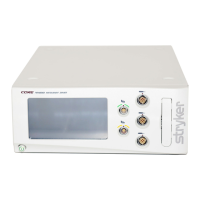
Do you have a question about the Stryker CORE 2 Console and is the answer not in the manual?
Manual is intended for trainers, physicians, nurses, assistants, and technicians.
Explains symbols and formatting used in the manual for safety and procedural information.
Provides contact details for Stryker customer service and sales representatives for further information.
Provides crucial safety warnings for operating the console, including training, environment, and handling precautions.
Details essential electrical safety precautions, power connection, and potential effects of power loss.
Step-by-step guide on preparing the console and connecting devices before starting a procedure.
Guidance on operating the console and connected devices during a surgical procedure.
Steps for powering down, disconnecting devices, and cleaning the console post-procedure.
Instructions on how to manage connected devices, including motor settings and footswitch assignments on the Home screen.
Guidance on navigating from the Home screen to other main screens like Presets and System Settings.
 General
| Brand | Stryker |
|---|---|
| Model | CORE 2 Console |
| Category | Medical Equipment |
| Language | English |











 To Next Page