11
Setting up the SYNK Wireless Transmitter
Warning
• When the transmitter is used with other equipment, leakage currents may be
additive� Ensure that all systems are installed according to the requirements of
IEC60601-1�
• Always set up the transmitter in a location that allows adequate ventilation�
Insucient ventilation may cause the transmitter to overheat and shut down�
1� Connect the DVI OUT 1 on the camera control unit to the DVI 1 IN on the SDC�
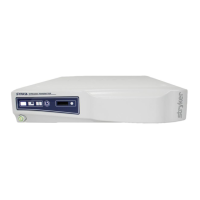
2� Connect the DVI 1 OUT on the SDC to the DIGITAL INPUT on the transmitter�
3� Connect the DIGITAL OUTPUT on the transmitter to the DVI on the primary display�
4� Connect the C-video input on the display to the C-video output on the printer�
5� Connect the C-video input on the printer to the C-video output on the camera�
6� Link an auxiliary display to the transmitter with the token� (Link the display and transmitter
each time the display or transmitter is powered on�)









 To Next Page