pg 11
blueSky - reverberator
Power Up Modes
Spillover Mode
Setting blueSky to Spillover mode allows the wet reverb signal of the
currently selected preset to “spill” into bypass or the next loaded preset�
NOTE: Because of the buffer architecture, the current preset must be active
for at least 5 seconds before Spillover between presets will be operational�
Spillover is available immediately when bypassing the effect�
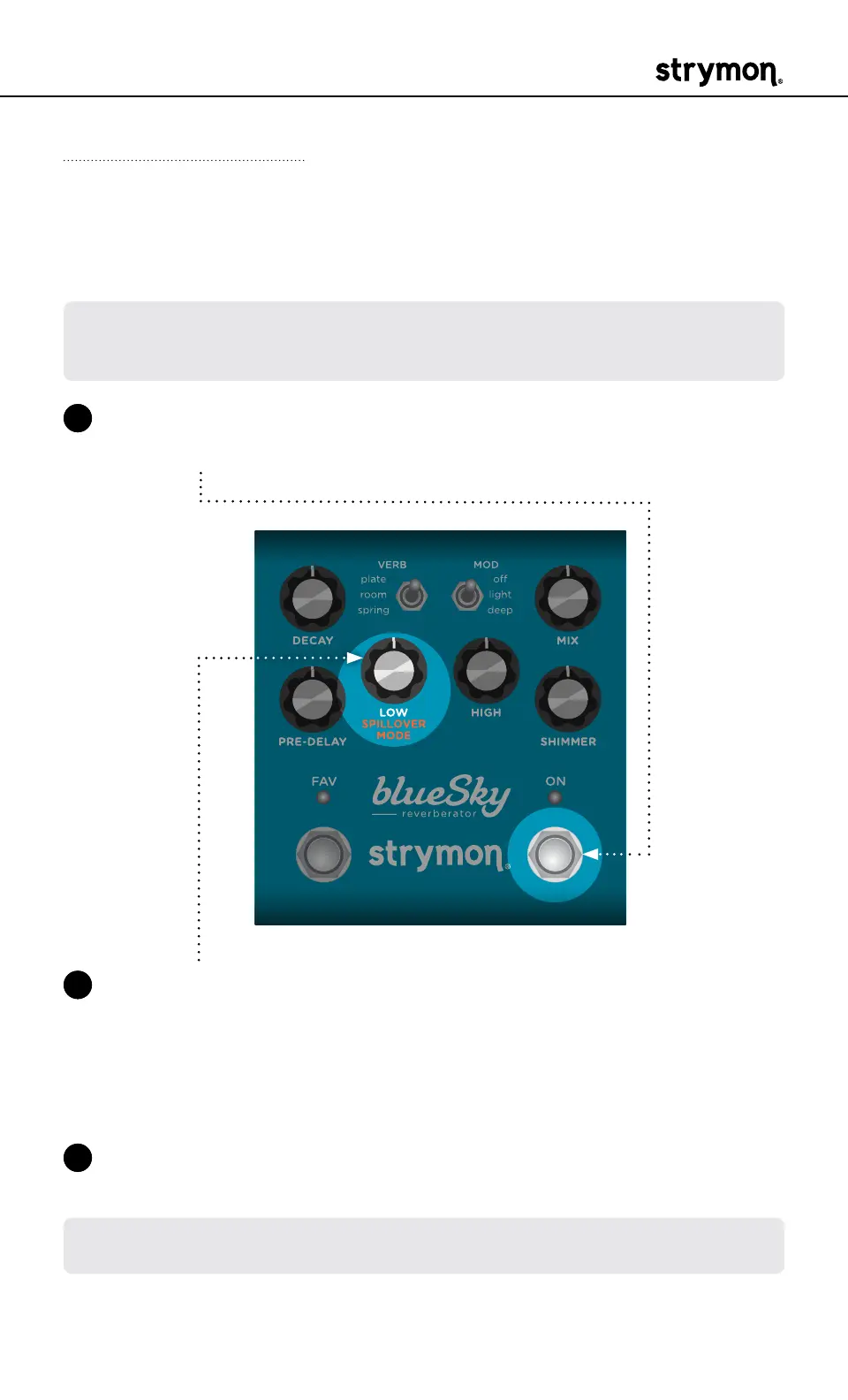
1 Press and hold the ON footswitch while powering up blueSky� Once
both LEDs flash, release the footswitch�
2 Turn the LOW (SPILLOVER MODE) knob to turn Spillover Mode on or
off� Both LEDs will change color to indicate the current status as you
turn the knob�
• Spillover mode Off: AMBER (default)
• Spillover mode On: PURPLE
3 Press either footswitch to store the Spillover Mode and begin using
blueSky�
NOTE: The Spillover Mode setting persists across power cycles and is not
saved per preset�



 To Next Page