Riverside - Multistage Drive
®
pg 18
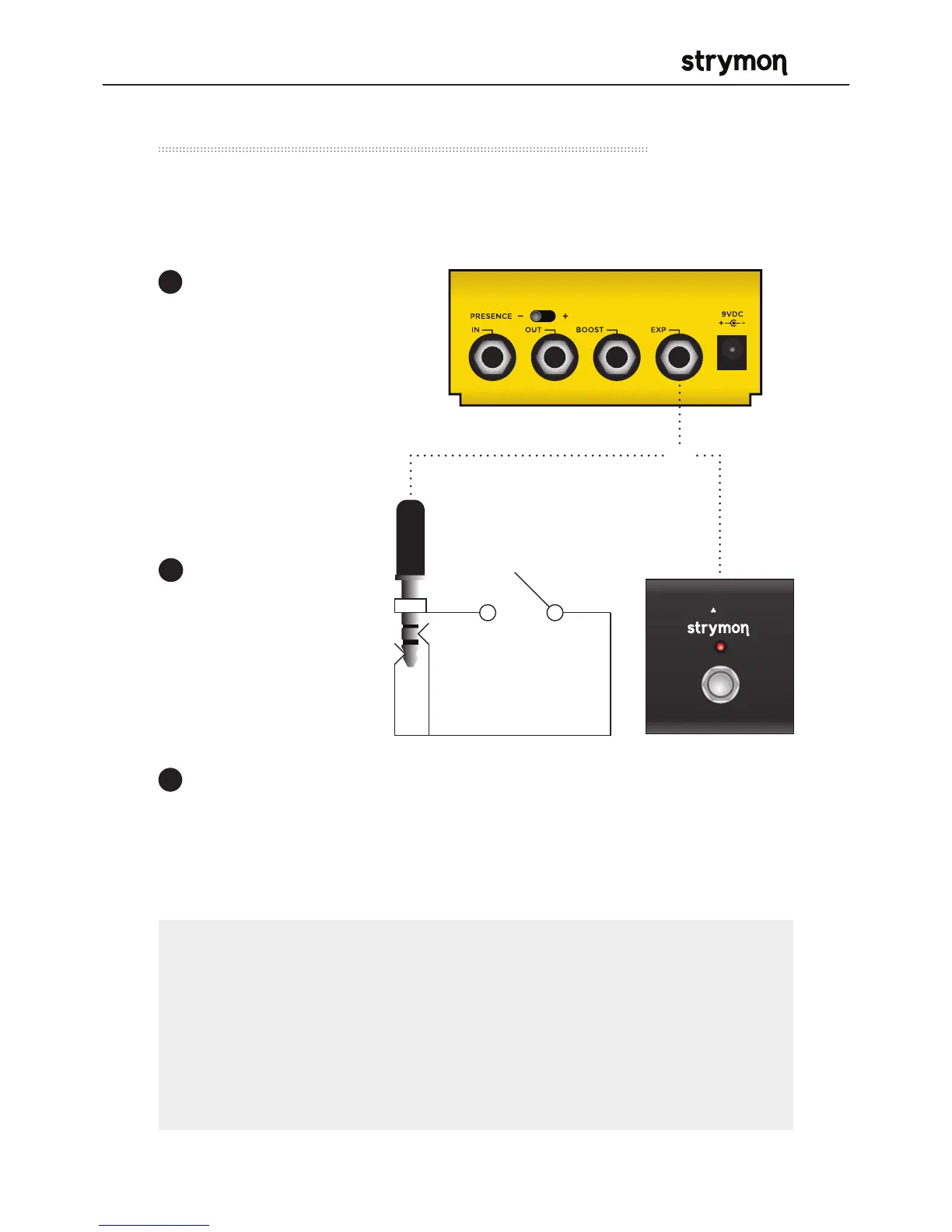
Connect a MiniSwitch with a TRS cable to toggle the on-board
Favorite preset on and off.
External Control – Using Favorite Input
Ensure that the EXP
jack is configured for
FAV IN. (See page 16
for more info.)
Connect a Switch
with a TRS cable
to the EXP jack of
Riverside.
Dial in a setting
on Riverside
using the knobs
and switches
for your desired
sound.
Press and hold Riverside’s on-
board FAVORITE switch for 2
seconds to save this setting as
a new on-board Favorite sound.
1
2
3
®
TRS
NOTES:
The on-board FAVORITE switch will not toggle the Favorite preset
when Riverside is set to Favorite In mode and a MiniSwitch is
connected to the EXP jack.
Saving Presets works differently when using MIDI. (See page 31
for more info.)
OR



 To Next Page