Sunset - Dual Overdrive
®
pg 9
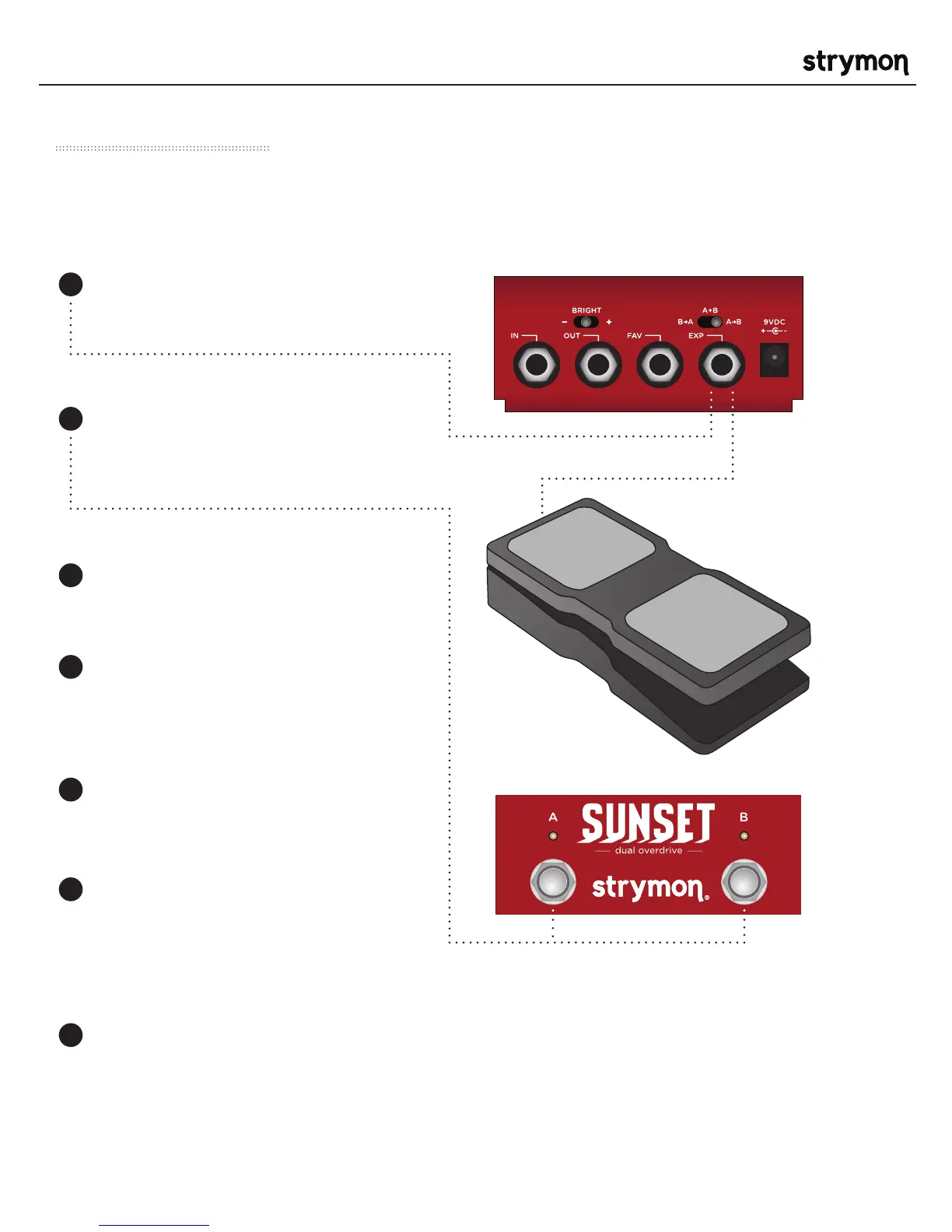
Use a TRS Expression pedal to control the knobs of Sunset
Expression Mode
NOTE: Expression pedal settings are global and
will affect both the manual and saved Favorite
preset settings on Sunset.
Press and hold both A and B
footswitches for a few seconds until
both LEDs begin blinking GREEN.
Connect the Expression pedal to the
EXP jack of Sunset using a TRS cable.
Rock the expression pedal back to the
HEEL position and only the A LED will
blink GREEN.
Set the knobs the way you would like
them to be in the HEEL position. The
A LED will turn RED to indicate that
the setting has changed.
Rock the expression pedal forward to
the TOE position and only the B LED
will blink GREEN.
Set the knobs you would like to control
to the setting for the TOE position of
the expression pedal. The B LED will
turn red to indicate that the setting
has changed.
Press the A or B footswitch once to
save the expression settings.
2
1
3
4
5
6
7



 To Next Page