Firmware Update Procedure
®
pg 2
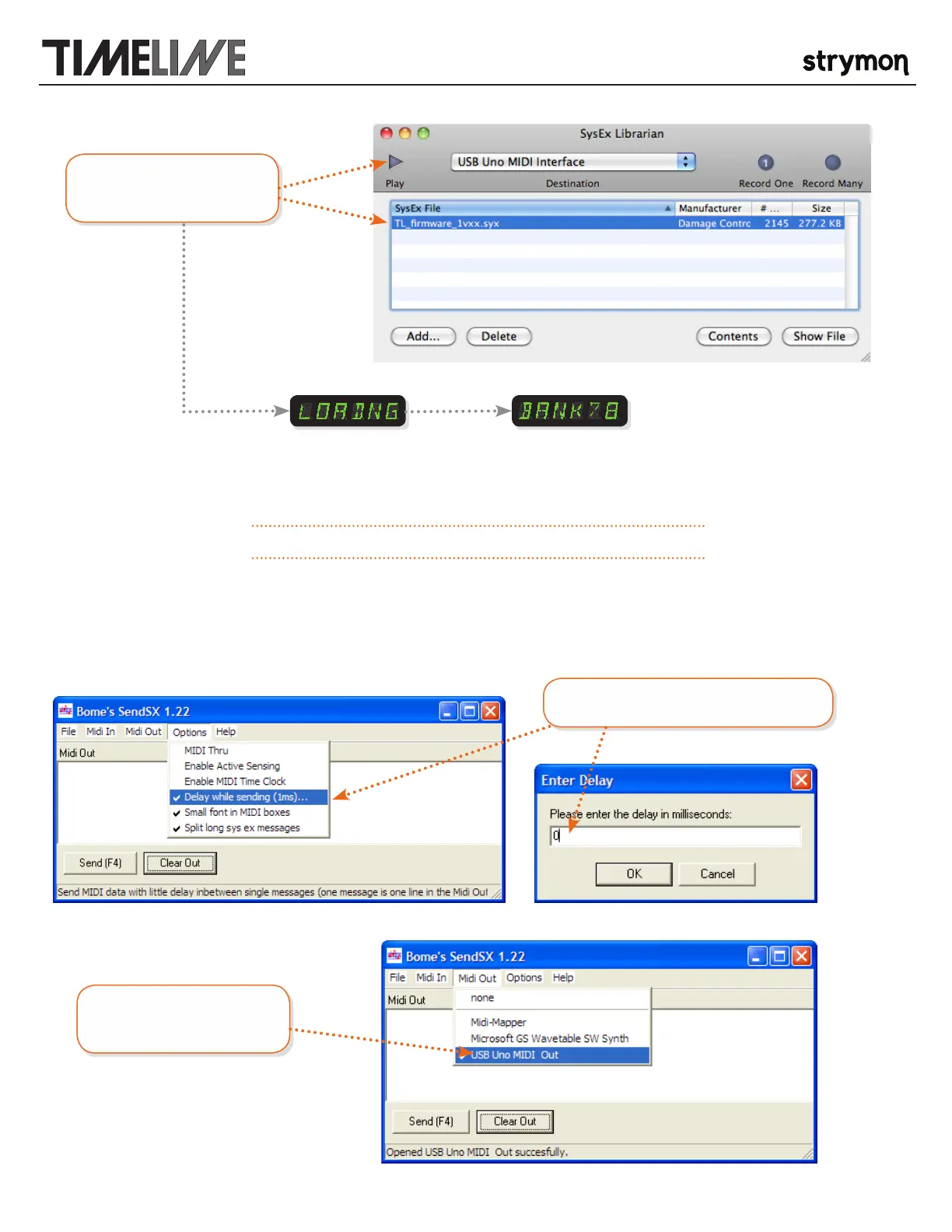
Select the firmware file and
press play.
will be displayed while the
new firmware is loading
the unit will restart and
display the last active
bank when the update is
complete
>> Your TimeLine firmware should now have been updated successfully <<
ON A PC: Download and install SendSX http://www.bome.com/products/sendsx
(SendSX is not free software, per their website http://www.bome.com/products/sendsx/purchase SendSX can be used for a reasonable trial period for free and then it’s asked that
development is supported by a voluntary donation or by using it as “postcardware” and sending a postcard )
Set the in-between message delay to 0mS
Select the correct MIDI output
from your MIDI interface.



 To Next Page