Firmware Update Procedure
®
pg 3
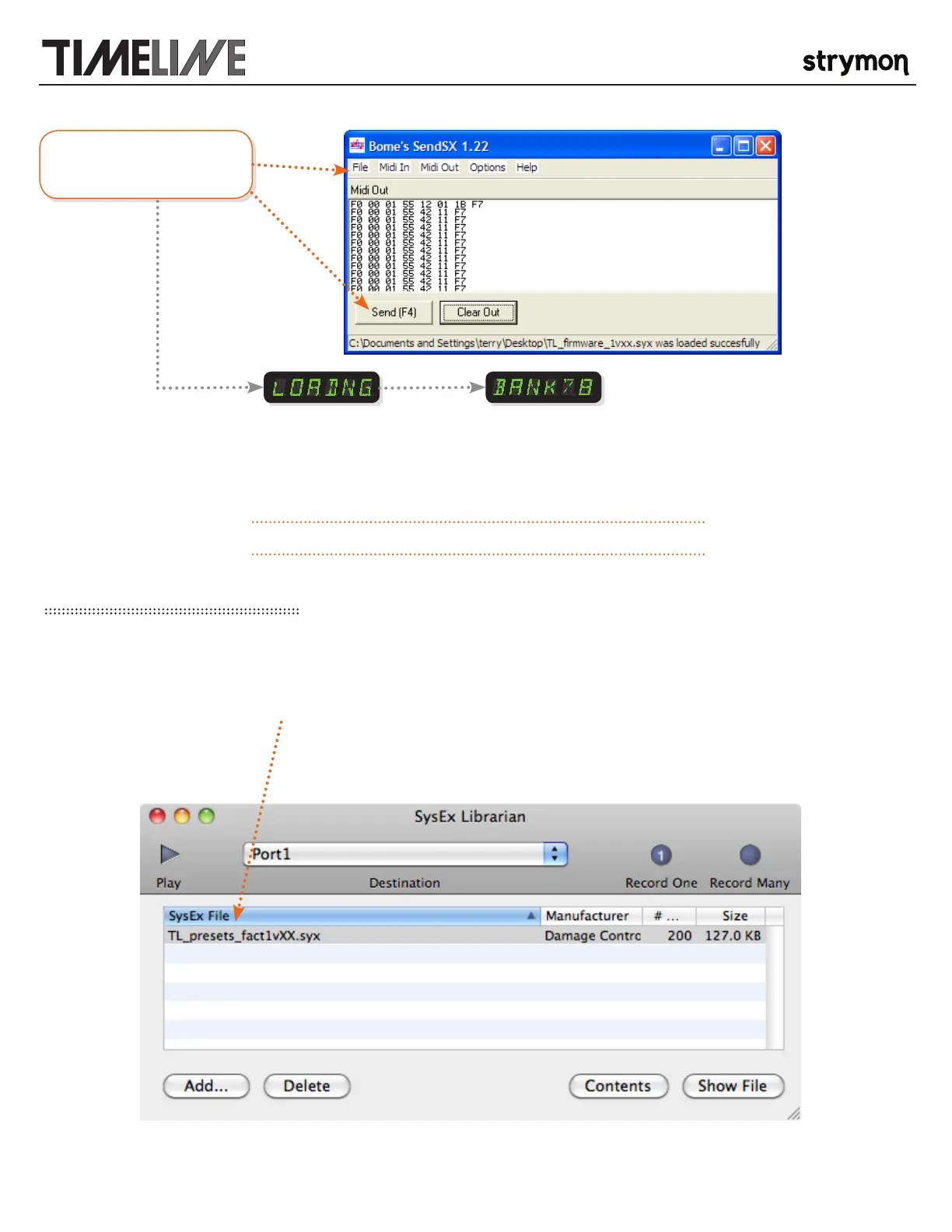
Open the firmware file and
press send.
will be displayed while the
new firmware is loading
the unit will restart and
display the last active
bank when the update is
complete
>> Your TimeLine firmware should now have been updated successfully <<
3. UPDATE YOUR FACTORY PRESETS:
PLAY THE FACTORY PRESET SYSEX FILE: Use either Sysex Librarian on the Mac or SendSX on the PC to send the factory preset
sysex file to your TimeLine. There will not be any indication on the display that the file is being received. This contains the factory
presets and will not alter any of your saved patches unless a factory initialization is performed. The file is included in the update zip
archive and is named in the form “TL_presets_fact1vXX.syx” where the XX represents an incremental version number.



 To Next Page