STUDER Innotec
Xtender
30 V.3.2.0 User manual
7.2 DISPLAY AND CONTROL PANEL
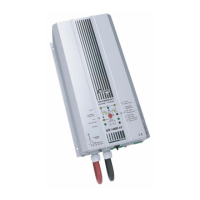
The Xtender has a ON/OFF button and light indicators at the front of the unit, allowing clear
identification of the operating mode.
(41) The ON/OFF button allows the start-up or complete stop of the system. In the systems
comprising several units, each unit is started or stopped individually. For a simultaneous start-up of
all the units use the dry contact control (see chap. 6.2.12 – p. 25) or the ON/OFF button of the RCC-
02/03 remote control.
Even when the equipment has stopped, dangerous voltages may be present at the
Xtender input.
(42) This indicator lights up when the equipment has
been stopped manually using the ON/OFF button
(41). It also allows the cause of an unintentional
stoppage of the device to be indicated via the
different flashes, the imminence of a stoppage or
the temporary limitation of its performance.
The table below describes the type of fault
according to the number of flashes on the indicator
(42)



 To Next Page