43
➐
➓
➑ a,b
➒ a,b
BA C7000 for EC Tower | EN | 01-2019 | 1000755
Config
Components
Sensor
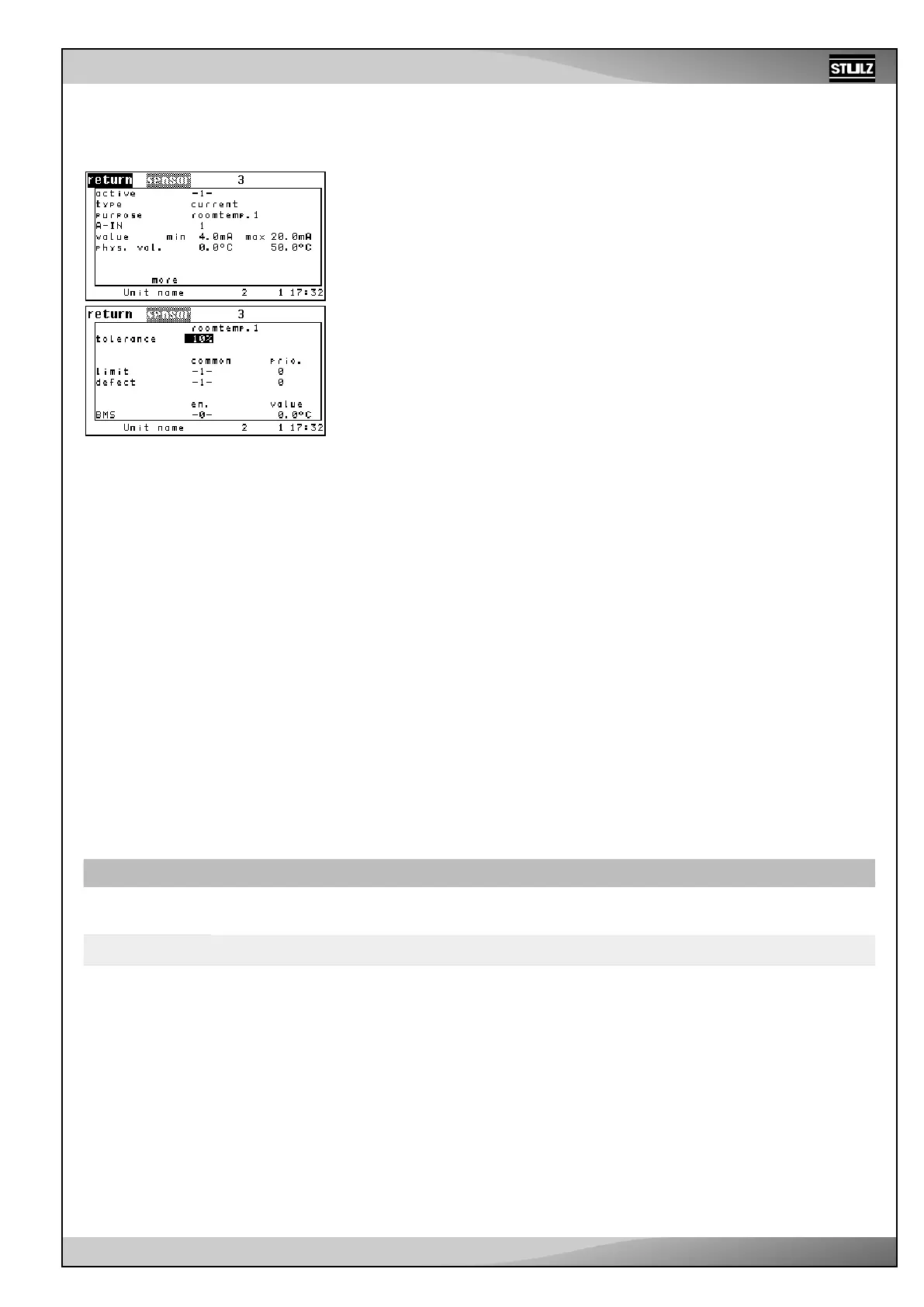
You add a sensor to the configuration by setting the “ACTIVE parameter” to 1. You
deactivate the sensor with “0”. ➊
You can determine the sensor type in the next line (1: current, 2: voltage). ➋
Using the “PURPOSE” parameter, you can specify what the sensor is used for ➌.
You determine the analog input for the proportional sensor signal using the “A-IN”
parameter. ➍
See the table below: Sensor parameters “Purpose” and “A-IN” for the EC tower.
The following five points are about calibrating the sensor. The minimum measuring
value (phys. value) ➏a is assigned to the minimum output value (value). ➎a
The minimum measuring value (phys. value) ➏b is assigned to the maximum output
value (value). ➎b
The set measuring value’s unit depends on the intended use of the sensor (1-35). The
set output value's unit depends on the sensor type (current, voltage).
If more than one sensor has the same purpose, an average value is calculated. In the
first line of the subsequent menu, you can set a maximum deviation from the average
value ➐, which triggers the “Sensor ## error” alarm when the value is exceeded. At
least 3 sensors with the same purpose are required to utilize this alarm.
Alarm parameters:
Sensor errors in the second line
Common alarm actuation ➑a
Alarm priority ➑b
Sensor fracture alarm in the third line
Common alarm actuation ➒a
Alarm priority ➒b
The last line indicates whether the measured value is delivered by a BMS (e.g. by an
external sensor). If this is the case, the value is automatically enabled and accepted
as the actual value for this sensor. The value in the “en.” column will then be -1-. The
measurement value itself is displayed in the “value” column.
This external measurement value can be deactivated by setting “0” as the value in the
“en.” column ➓. Then the value that is measured at the corresponding analog input is
taken as the actual value.
External setpoint:
An external setpoint can be specified
using sensor purposes 17 and 18. This
setpoint has priority over the internal
setpoint.
➊
➋
➌
➍
➎ a,b
➏ a,b
Table: Sensor parameters “Purpose” and “A-IN” for the EC tower
No. Parameter Description
➌
Purpose
Room/return air
temperature sensor
Room/return air
humidity sensor
Supply air temperature
sensor
Supply air moisture
sensor
➍
A-IN A-IN 1 A-IN 2 A-IN 3 A-IN 4



 To Next Page