45
➊
➋
BA C7000 for EC Tower | EN | 01-2019 | 1000755
Config
Statistics
Data loggers
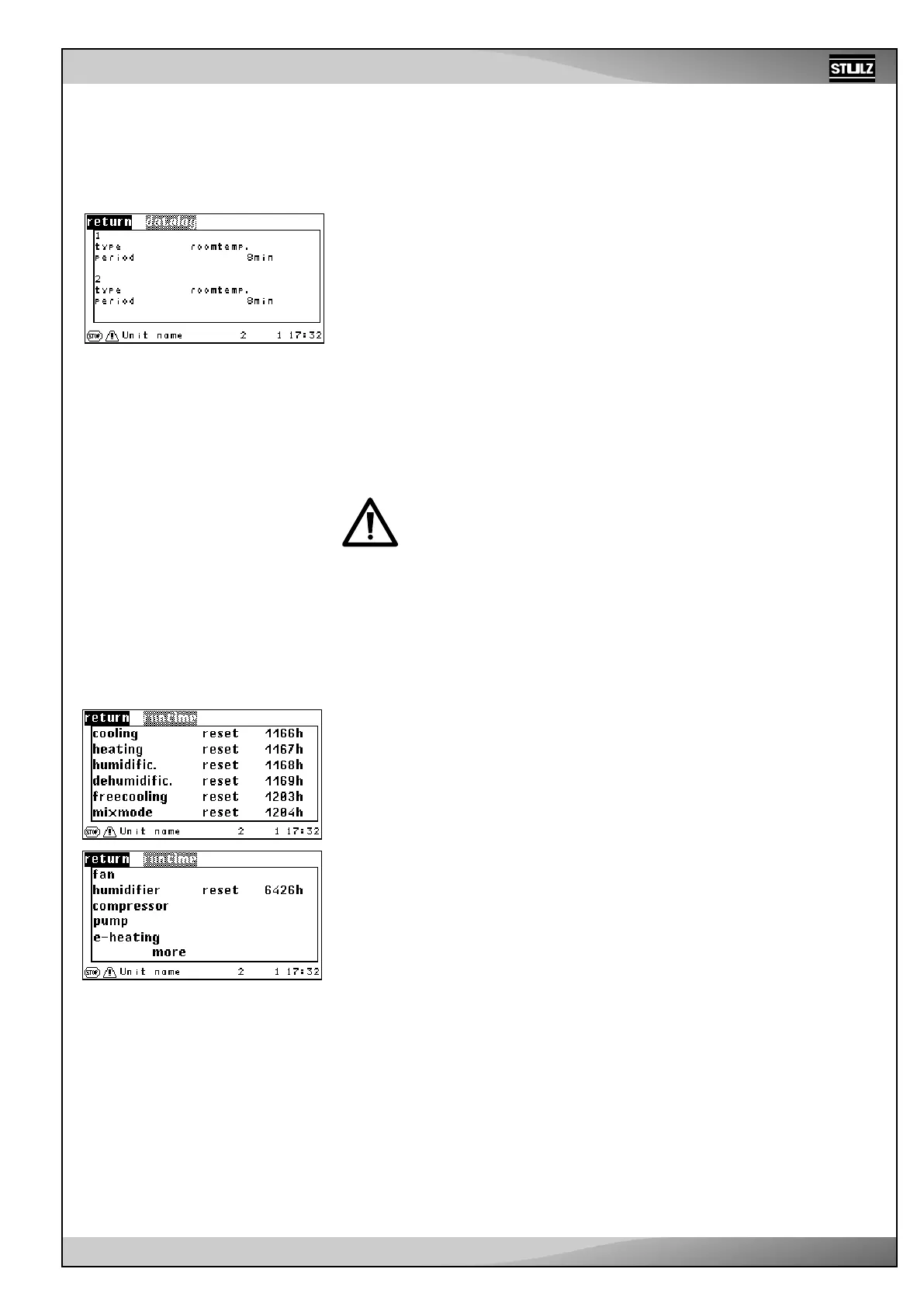
Here, you can adjust the basic conditions for both data loggers.
This includes sensor type ➊ and cycle rate (periods) ➋, giving the intervals at which
measured values of the corresponding sensor are stored.
Each data logger can store a maximum of 1440 data points. The 1441st data point deletes
the first data point, etc. If you set 1 minute as the cycle rate, you will receive a graphic
over a period of 1440 minutes, which is exactly 24 hours. If you set 2 minutes as the cycle
rate, data points will be stored over a period of 2 days, etc.
Considering that a pixel width of only 180 is displayed in the graphic, we recommend
choosing the cycle rate depending on the period of time that is going to be displayed
(Info menu).
Time period (info menu) Cycle rate
- Hour 1 min.
- Day 8 min.
- Week 60 min.
- Month 240 min.
- Year 2880 min.
When changing a parameter (type or cycle rate (period)) or if the controller
is de-energized, all previous data of the corresponding data logger is
deleted.
TYPE (for C7000 command) :
1 - unit - room temperature
2 - unit - room humidity
3 - unit - supply air temperature
4 - unit - supply air humidity
5 - water temperature, inlet 1
6 - outside temperature
7 - outdoor humidity
8 - condensation pressure 1
9 - hot-gas temp. 1
10 - evaporation pressure 1
11 - suction gas temp. 1
12 - zone room temperature
13 - zone room humidity
14 - zone supply air temperature
15 - zone supply air humidity
16 - zone outdoor temperature
17 - water temperature, inlet 2
18 - water temperature, outlet 1
19 - water temperature, outlet 2
Statistics
Runtimes
This compilation of runtimes only exists in the C7000 Advanced. The runtime menus
are an exact copy of the menu branch with the same name in the Info menu. However,
they also allow runtimes to be reset.
Unlike the settings options in the C7000 I/O controller, in the C7000 Advanced you can
also reset the runtimes of superordinate unit functions.
Operation:
1. Select functions (cooling, heating, etc.) with the arrow keys
2. Confirm using the OK button
3. The cursor is now located in the center column on the “Return” field. Using the arrow
keys, you can choose between the “Delete” and “Return” options.
4. Confirm the chosen function using the OK button.
7.3 Statistics



 To Next Page