29
BA C7000 for EC Tower | EN | 01-2019 | 1000755
Components/Cooling
Compressor
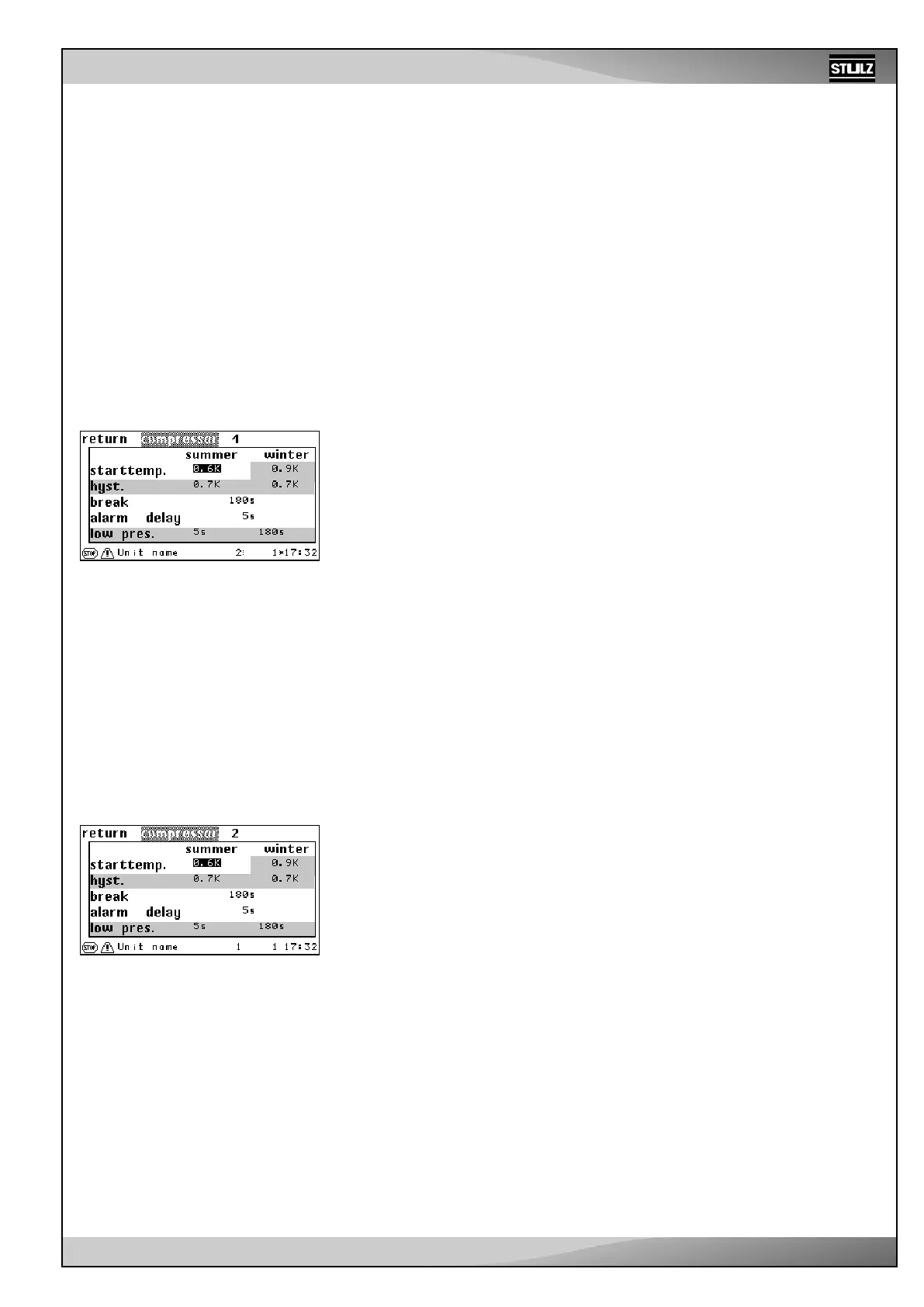
The parameters that are not effective for the external compressor are highlighted gray
in the menu views of the C7000AT shown here.
Adjust the start temperature ➊ for the compressor as a positive difference to the setpoint.
The compressor starts with the value in the menu opposite, e.g. if the room temperature
is 0.6 kelvin over the setpoint.
The compressor pause ➌ is entered in seconds and delays the restart by the set time.
This reduces the number of possible compressor starts per time interval and has a
positive effect on the compressor’s service life.
Alarm parameters:
Compressor alarm time delay ➍
Activate basic settings for the EC tower
Activate the basic settings on the C7000AT operating interface as follows:
- Select “EC tower” to load the basic settings for ECD/U 091, 181 or 251.
- Select “EC tower 2” to load the basic settings for ECD/U 502.
Basic settings “EC tower” or “EC tower 2” load compressor type 2 (EC tower) at the
same time.
Note on the basic settings “EC tower” and “EC tower 2”
The basic setting “EC Tower” is valid for ECD/U 091, 181 or 251. These units have a
compressor each, which has to be parametrized in the “Compressor 1” menu.
The basic setting “EC Tower 2” is valid for ECD/U 502. These units have 2 compressors
each, which have to be parametrized in the “Compressor 1” and “Compressor 2” menus.
Compressor, external EC tower
➊
➊
➊
➊
➌
➍
➌
➍
➌
➍
➌
➍
Operate
7.2 Components
7.2.1 Refrigerant circuit, standard
Compressor
The compressor is usually installed in the air conditioning unit. However, it is also possible to actuate an external compressor. If
this is the case, no installed compressor can be actuated.
Set the compressor type using the following command: comp 1 type 1 (installed compressor)
or: comp 1 type 2 (external compressor/ EC tower)
Establishing the compressor type determines which parameters of the compressor menu are effective.
The parameters for the external compressor/EC tower are explained in the following.
Menu structure of the Info, Operate and Config main menus
The menu structure of the Info, Operate and Config main menus is depicted in chapter “12. Menu structure of the main menu for
operating the EC tower” on page 74.



 To Next Page