Connect the sensor tower
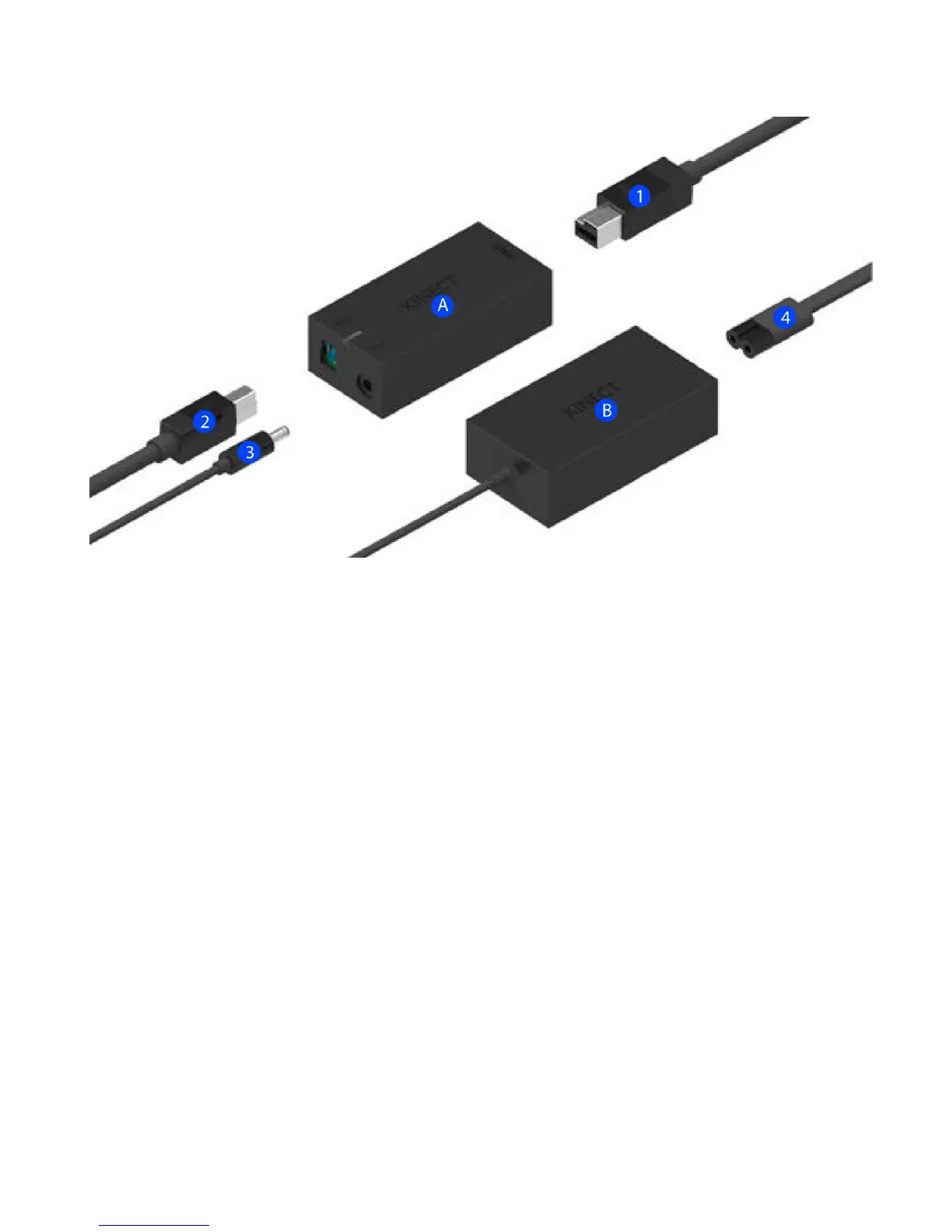
I. Connect the sensor cable coming from the bottom of the tower (1) to the smaller black brick
(A).
II. On the other side of the brick (A), plug in the USB cable (2). The other end of this cable will
connect to the notebook computer.
III. The larger black brick (B) has a thin cable coming out from it (3) ; plug that into the other side of
the smaller brick (A). This is for the power.
IV. Plug the power plug (4) to the other side of the larger brick (B). Plug the power into a power
outlet.
V. You should see a yellow light on the smaller brick (A) when the power is connected.
VI. Next, plug the USB cable (2) into an empty USB 3.0 port on your computer, typically colored
blue or with an SS symbol.



 To Next Page