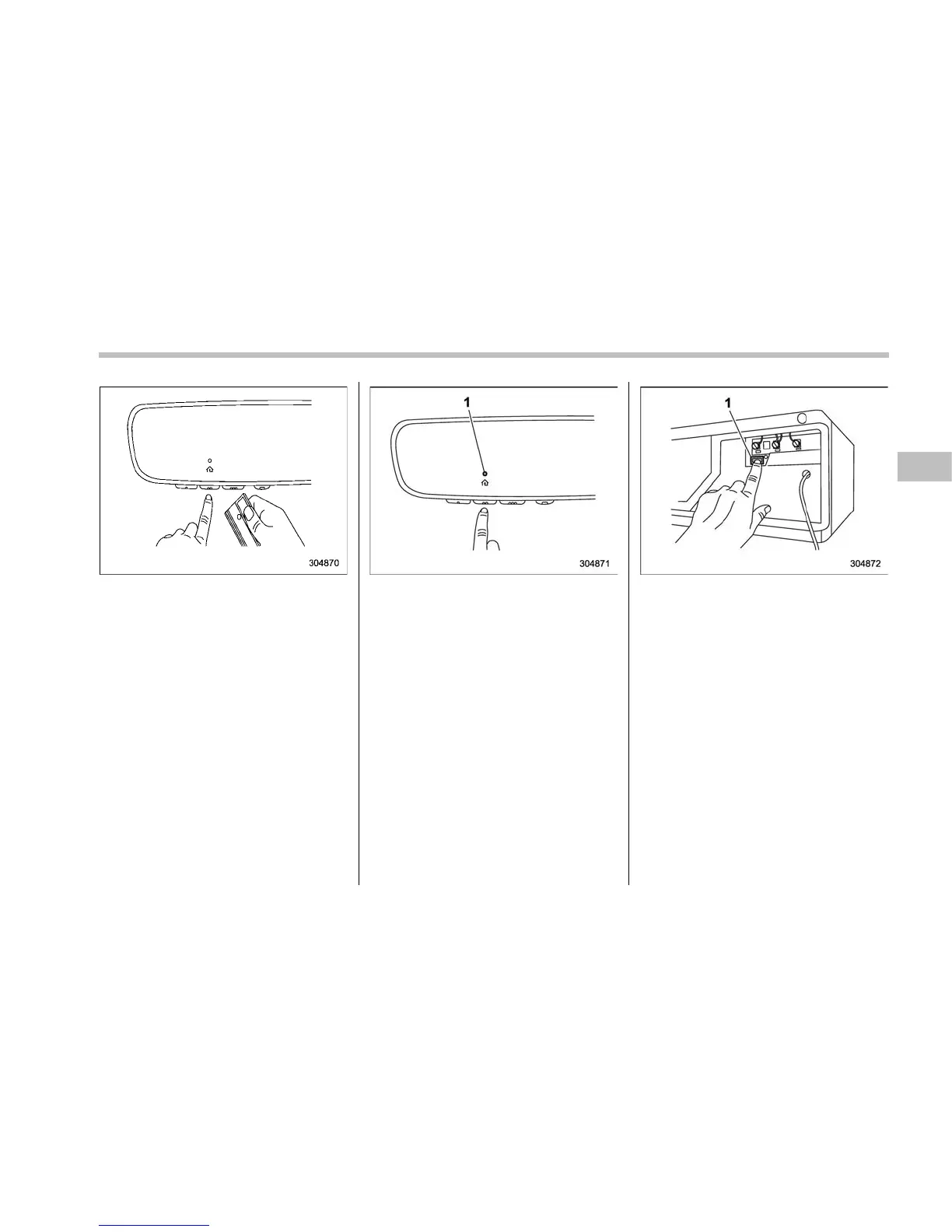
3. While the HomeLink
®
indicator light is
flashing orange, press and hold the hand-
held remote button. Continue pressing the
hand-held remote button until the
HomeLink
®
indicator light changes from
orange to green. You may now release the
hand-held remote button.
NOTE
Some devices may require you to
replace this “Programming a New
HomeLink
®
button” step 3 with proce-
dures noted in the “Gate Operator /
Canadian Programming” section. Refer
to “Gate Operator / Canadian Program-
ming” F3-78.
1) Indicator Light
4. Press the HomeLink
®
button that you
would like to program and observe the
indicator light.
. If the indicator light remains con-
stant green, your device should oper-
ate when the HomeLink
®
button is
pressed. At this point, if your device
operates, programming is complete.
. If the indicator light rapidly flashes
green, firmly press, hold for two
seconds and release the HomeLink
®
button up to three times to complete
the programming process. At this point
if your device operates, programming
is complete. If the device does not
operate, continue with the next step of
the programming instructions.
1) “Learn” button
5. At the garage door opener motor,
(security ga te motor, etc...) locate the
“Learn”, “Smart”,or“Program” button. This
can usually be found where the hanging
antenna wire is attached to the motor-
head unit (see the device’s manual to
identify this button). The name and color
of the button may vary by manufacturer.
NOTE
A ladder and/or second person may
simplify the following steps.
6. Firmly press and release the “Learn”,
“Smart”,or“Program” button. You now
have 30 seconds in which to complete
step 7.
Instruments and controls/Mirrors
– CONTINUED –
3-77















 To Next Page