SETTINGS AND UPDATES OVERVIEW
Many settings can be customized for different features in your Subaru. In this section you
will find examples and instructions for some of the settings you can tailor to fit your
preferences, as well as ways to keep your system updated.
Connect to Home Wi-Fi (if equipped)
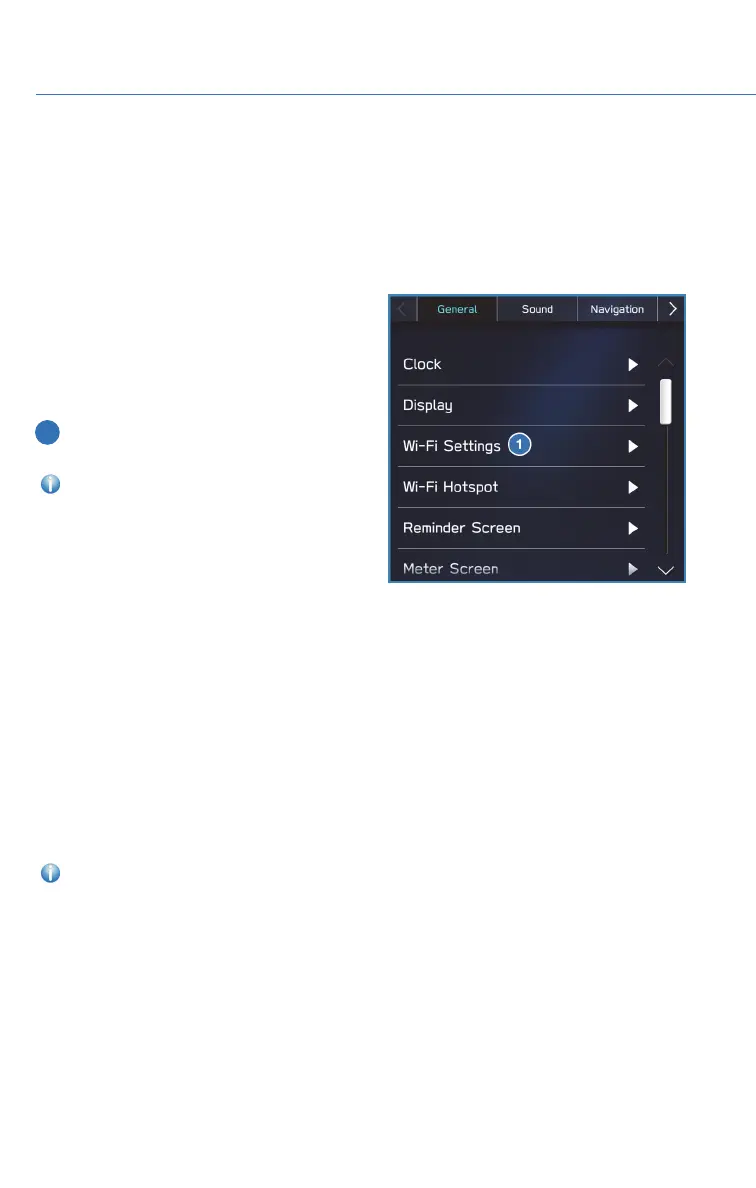
Connecting to your Wi-Fi network can allow
you to update the maps. Wi-Fi can be found
from the Home Screen by selecting “Settings”.
To access Wi-Fi settings and available
networks:
1 In the “General” menu, select “Wi-Fi
Settings”.
For step by step instructions on
connecting to Wi-Fi, please refer to page 148
in this Getting Started Guide or “Settings” in
your STARLINK
®
Owner’s Manual.
Performing Software Updates
Software updates provide enhancements to the system, such as new features, added
security, and upgraded functions. If you experience any issues or have questions related to
updating your STARLINK
®
software, please contact your preferred Subaru Retailer.
For the 11.6-inch Multimedia Plus and the 11.6-inch Multimedia Navigation systems,
system software can be updated via a Data Communication Module (DCM), if equipped.
The update process involves downloading and installing the software update.
NOTE: System functionality will be restricted during installation, and you may need to
reset radio station presets and volume settings after the update process.
For step-by-step instructions and more information, please refer to page 168 in this
Getting Started Guide or “Settings” in your STARLINK
®
Owner’s Manual.
SETTINGS AND UPDATES
108














 To Next Page