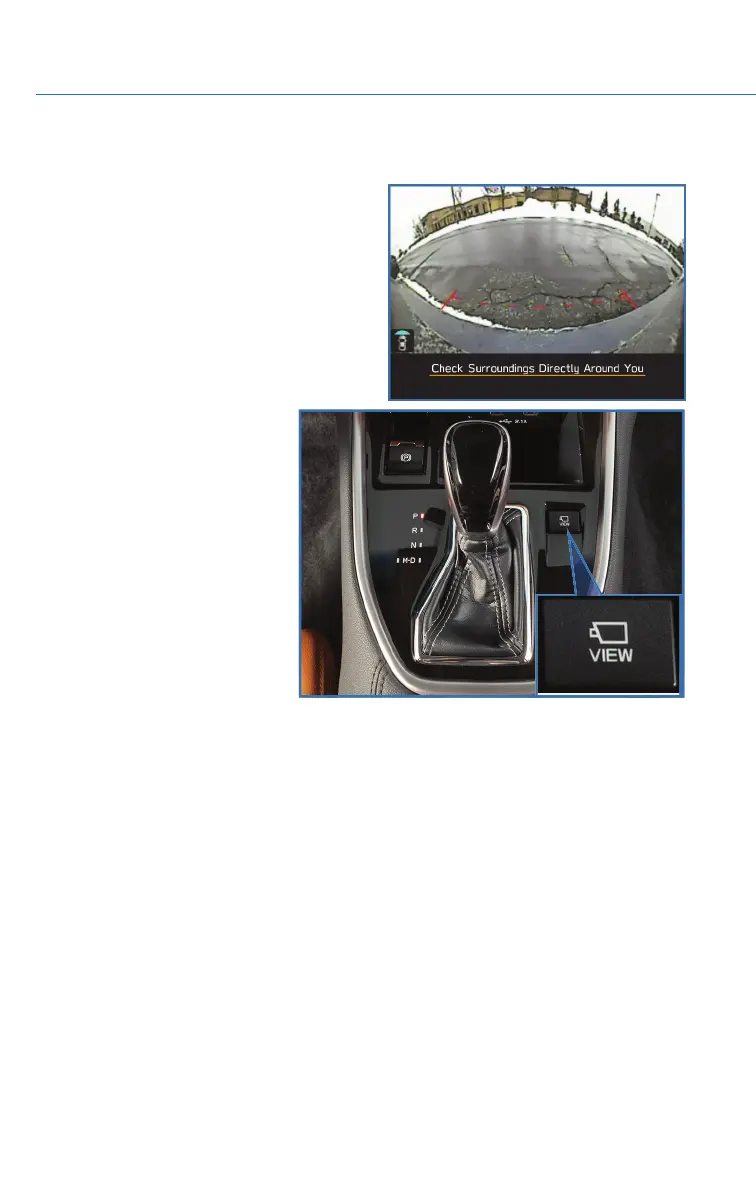
FRONT VIEW MONITOR (if equipped)
The Front View Monitor provides you with
visibility from the front grille shown in the
Center Information Display, improving visibility
when making turns with an obstructed view or
pulling into a narrow parking spot. A guide line
is also displayed to provide distance and width
references. The Front View Monitor can be
displayed when vehicle speed is less than
12 mph and the select lever is in a position
other than “R”.
Press the Front View Monitor
switch on the center console to
display the Front View Monitor
image on the Center Information
Display (CID). You can manually
turn off the Front View Monitor by
pressing the Front View Monitor
switch again or by pressing the Car
Settings icon, Home button, or
Driver Profiles icon. The function
also automatically turns off.
Front View Monitor Switch
DRIVER ASSIST TECHNOLOGIES
126




 To Next Page