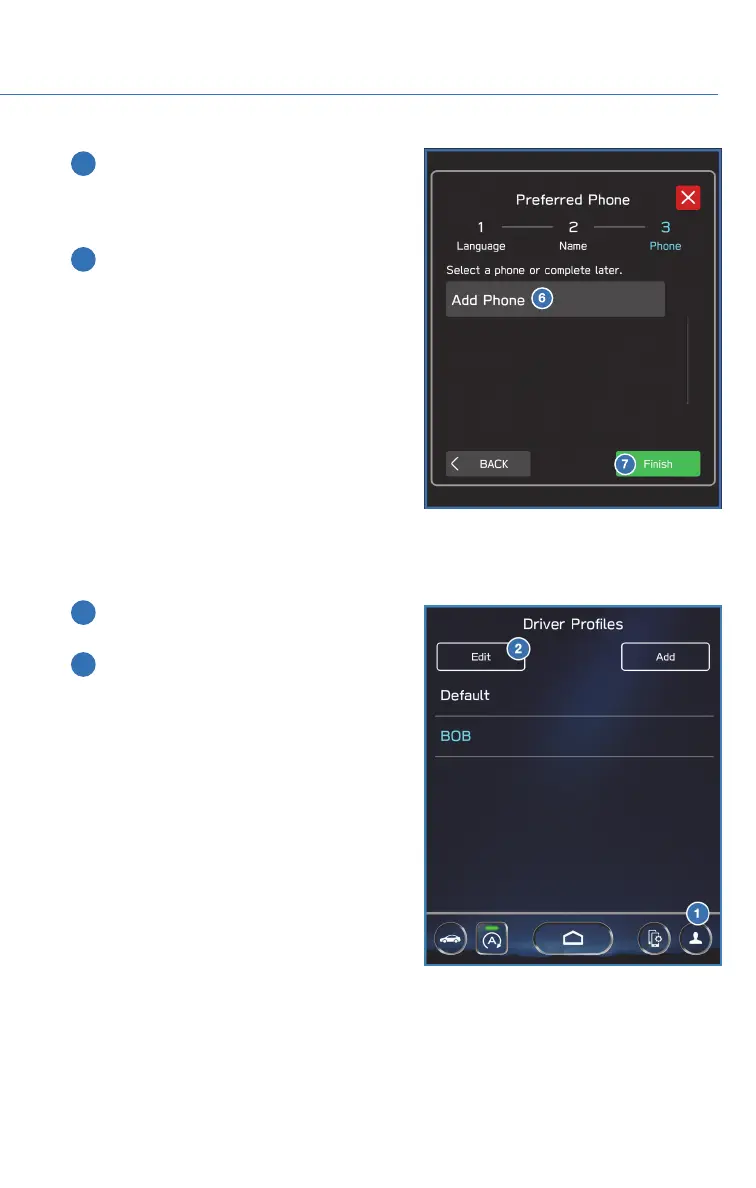
6 Select “Add Phone” to pair your phone to
the system (see page 85 and 92 in this
Getting Started Guide) or select your
phone if it is already paired.
7 Select “Finish”.
To edit a driver profile:
1 On the Home screen, select the Driver
Profile button.
2 Select "Edit", then select a profile. You
can then edit the profile according to
same steps as creating a profile.
DRIVER PROFILE
75














 To Next Page