30 910R/950R/950T/970T - 970T TRANSMITTER
CONTROLS (DOUBLE KEY)
30 910R/950R/950T/970T - 970T TRANSMITTER
CONTROLS (DOUBLE KEY)
CONTROLS (DOUBLE KEY)
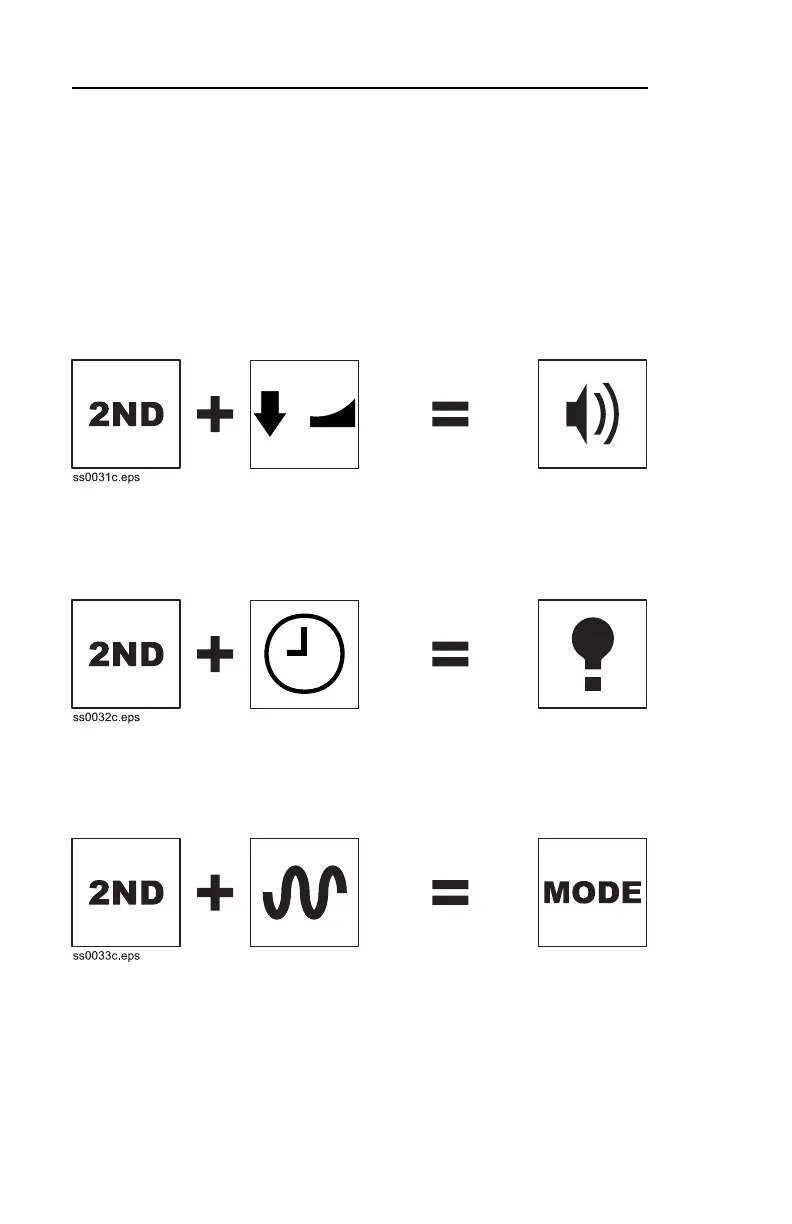
Press and hold 2ND and press the indicated button to use the
functions below.
2ND + Power Output Down
Changes volume.
2ND + Timer
Turns on backlight. Icon will display on screen.
2ND + Frequency
Changes mode.
• Press once to see current in milliamps.
• Press again to see voltage generated by transmitter.
• Press again to display voltage on line.
• Press again to see resistance in ohms.
CONTROLS (DOUBLE KEY)
Press and hold 2ND and press the indicated button to use the
functions below.
2ND + Power Output Down
Changes volume.
2ND + Timer
Turns on backlight. Icon will display on screen.
2ND + Frequency
Changes mode.
• Press once to see current in milliamps.
• Press again to see voltage generated by transmitter.
• Press again to display voltage on line.
• Press again to see resistance in ohms.



 To Next Page