20 910R/950R/950T/970T - RECEIVER
SETUP
20 910R/950R/950T/970T - RECEIVER
SETUP
SETUP
Install Batteries
Use six C-cell alkaline batteries in
receiver.
To install:
1. Unscrew battery cover.
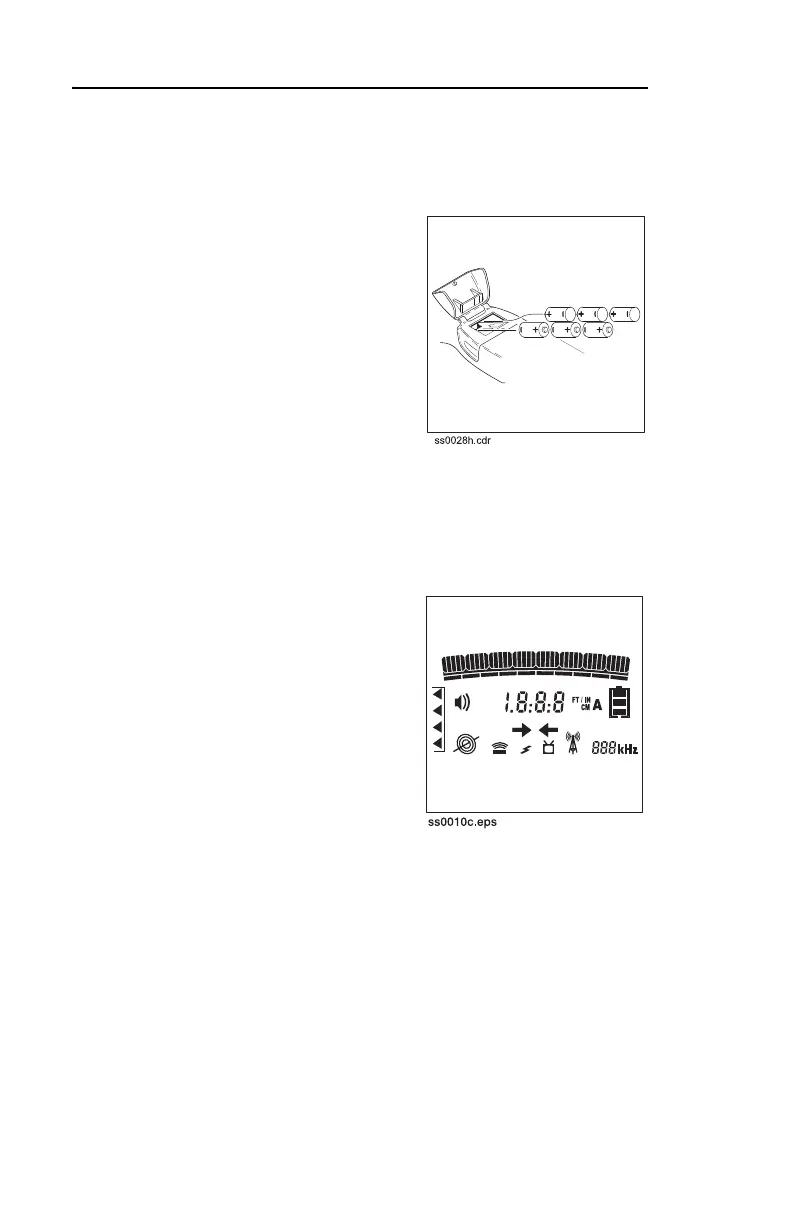
2. Insert batteries as shown.
3. Close cover and tighten
screw.
4. Check operation.
Check Operation
Always check that receiver is
operating before leaving for jobsite
and after every battery change.
To check operation:
1. Turn on receiver.
2. Entire display will light briefly.
3. Display will show battery level
and last used setting.
SETUP
Install Batteries
Use six C-cell alkaline batteries in
receiver.
To install:
1. Unscrew battery cover.
2. Insert batteries as shown.
3. Close cover and tighten
screw.
4. Check operation.
Check Operation
Always check that receiver is
operating before leaving for jobsite
and after every battery change.
To check operation:
1. Turn on receiver.
2. Entire display will light briefly.
3. Display will show battery level
and last used setting.



 To Next Page