56 910R/950R/950T/970T - OPERATION
LOCATE LINE: BEACON
56 910R/950R/950T/970T - OPERATION
LOCATE LINE: BEACON
Technique
1. Turn on receiver.
2. Set antenna configuration and signal source, and select
beacon frequency.
3. Place the beacon into the pipe and move it down the pipe.
4. To locate the beacon, circle over its approximate location in
the pipe.
5. To identify the location of beacon, find the spot with the
strongest signal response.
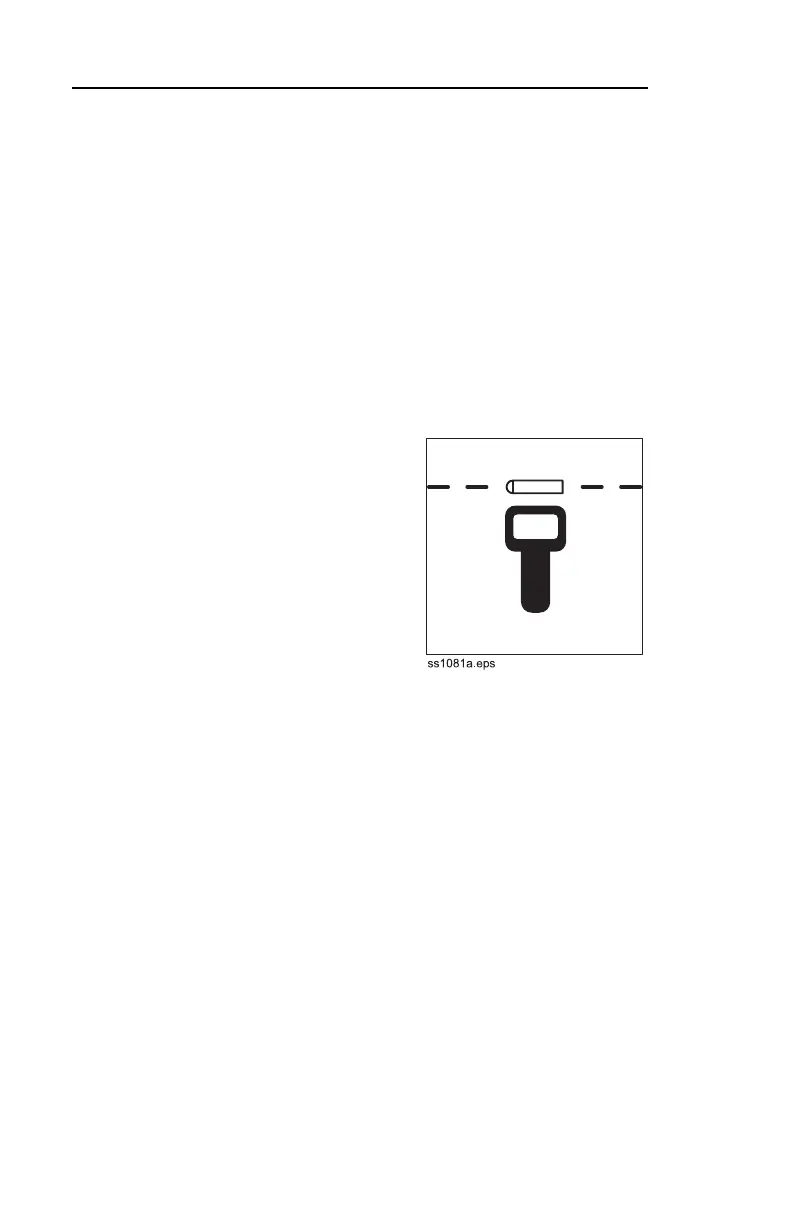
6. Rotate the receiver to
determine which direction the
beacon runs.
IMPORTANT: Receiver
indicates the strongest signal
when handle is perpendicular
to the beacon.
7. Press DEPTH button.
NOTICE: When estimating
depth with a beacon in
nonmetallic pipe, depth shown will be to the center of the
beacon, not to the top of the pipe.
8. Continue to track the beacon and take depth readings. Mark
pipe location with paint.
Technique
1. Turn on receiver.
2. Set antenna configuration and signal source, and select
beacon frequency.
3. Place the beacon into the pipe and move it down the pipe.
4. To locate the beacon, circle over its approximate location in
the pipe.
5. To identify the location of beacon, find the spot with the
strongest signal response.
6. Rotate the receiver to
determine which direction the
beacon runs.
IMPORTANT: Receiver
indicates the strongest signal
when handle is perpendicular
to the beacon.
7. Press DEPTH button.
NOTICE: When estimating
depth with a beacon in
nonmetallic pipe, depth shown will be to the center of the
beacon, not to the top of the pipe.
8. Continue to track the beacon and take depth readings. Mark
pipe location with paint.



 To Next Page