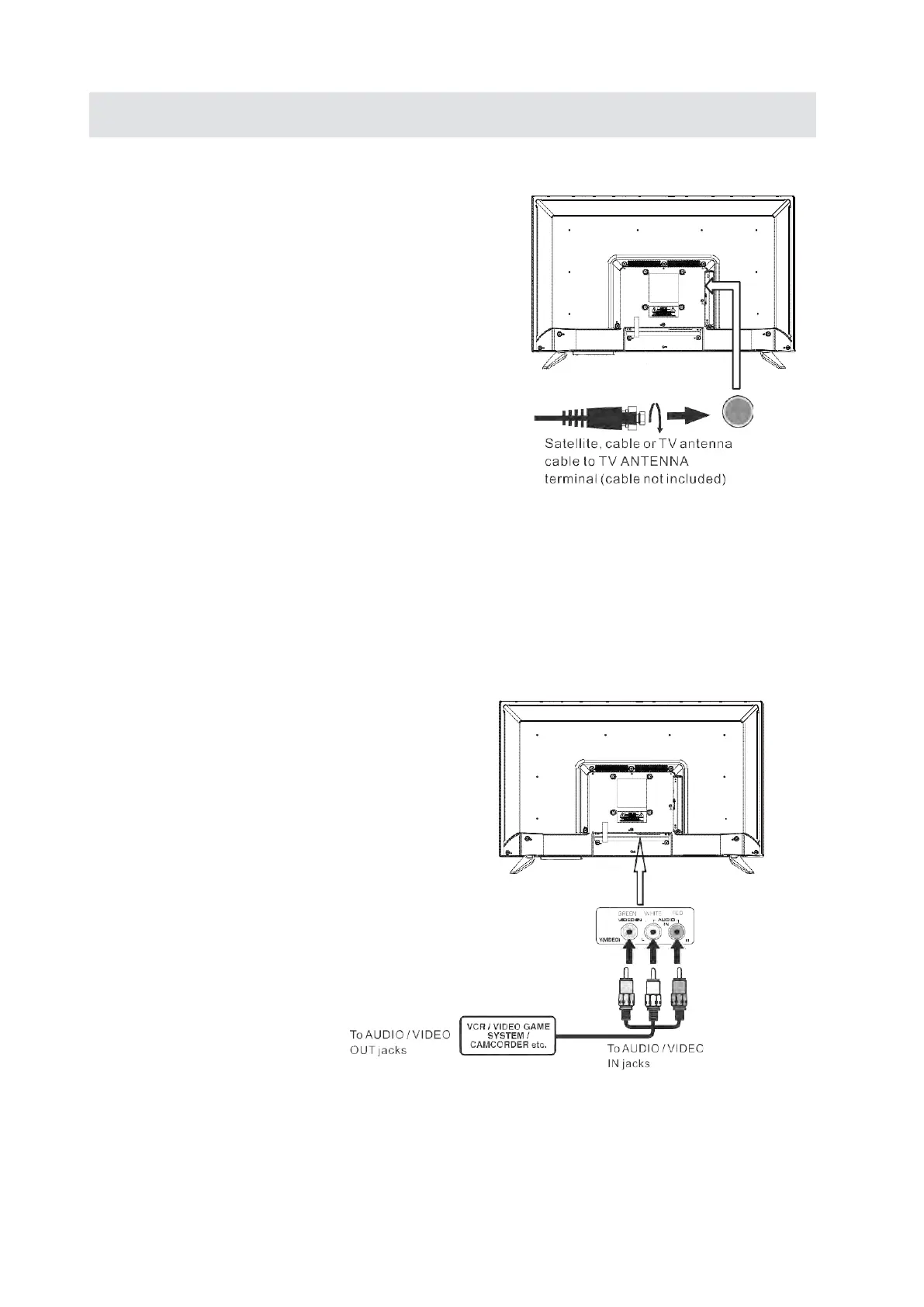
CONNECTING A TV ANTENNA / CABLE / SATELLITE
To view television channels correctly, a signal must
be received from one of the following sources:
-An indoor or outdoor aerial antenna
-A cable system
-A satellite system
NOTE
For receiving over-the-air TV broadcasts, we
recommend that you use an external fixed antenna.
Should you require the use of a temporary antenna,
please ensure that you purchase an antenna with
sufficient ability to receive in weak signal areas.
Only when you are in close proximity to a trans
mitter
wil
l a temporary antenna reproduce a signal as
strongly as a fixed antenna.
CONNECTINGAN A/V DEVICE
To connect to other equipment such as a VCR, camcorder, satellite system or cable, etc.
CONNECTING DEVICES WITH A COMPOSITE
VIDEOOUTPUT
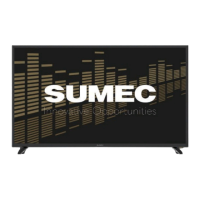
To connect A/V devices such as a VCR, video game system or camcorder.
Connecting to a VCR/Video Game System/ Camcorder
Connect the AUDlO /VIDEO cable (not included) as shown.
Make sure you connect the cable from the other equipment (AUDlO and VIDEO OUT) to this unit
(AV in)
NOTE
4) Please refer to the user manual
for the other equipment for
more information.
5) Composite video input
(shared with component)
CONNECTIONS
7


 To Next Page