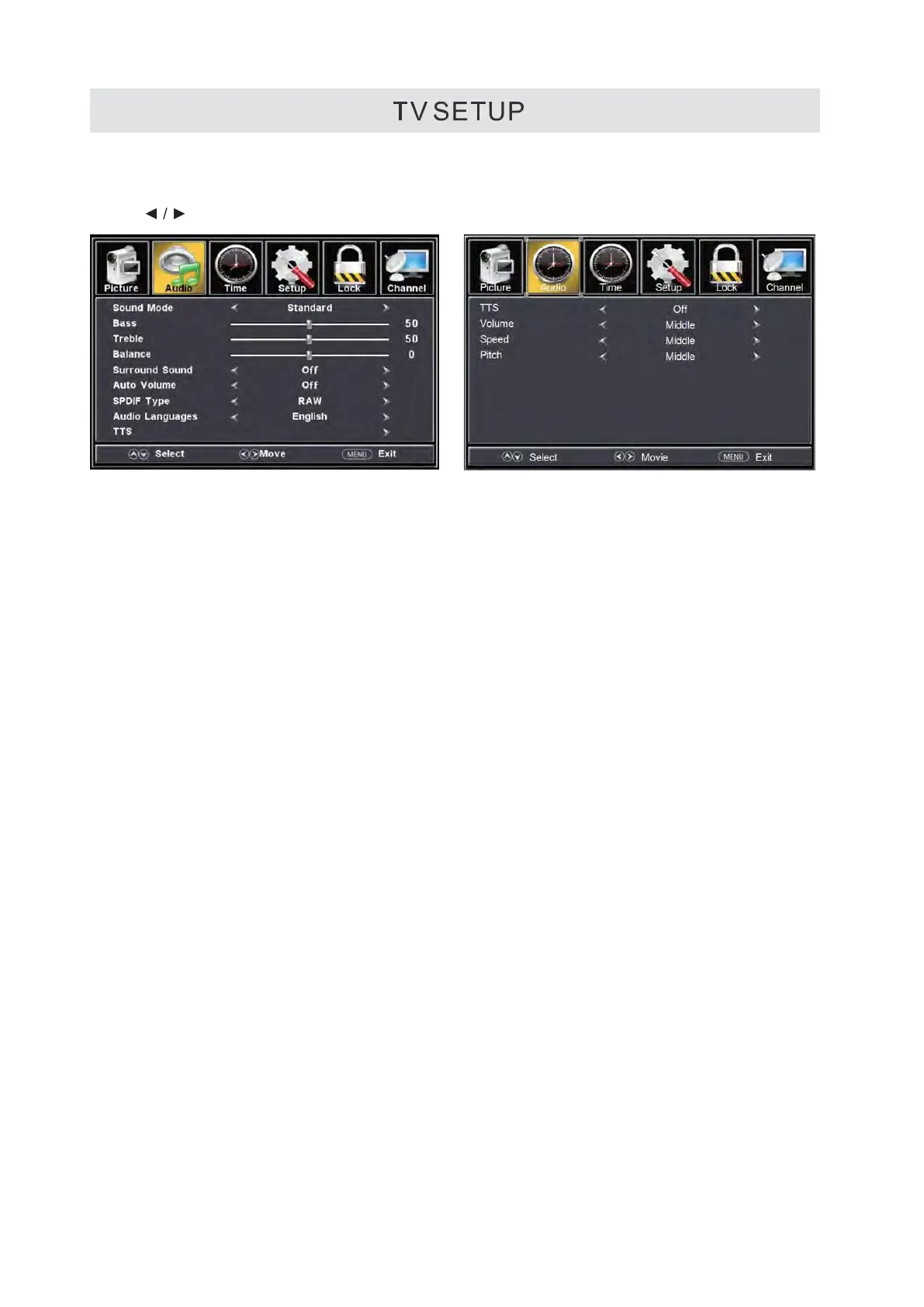
AUDIO MENU
Press MENU button to display the main menu.
Press
button to select AUDIO in the main menu,it will high light the first option.
Sound Mode
Allow the selection of an audio-enhancement technique: Standard/Music/Movie/User/Sports.
Alternative: you may press the S.MODE button to select the sound mode directly
Bass
Control the relative intensity of lower-pitched sounds. (For User mode)
Treble
Control the relative intensity of higher-pitched sounds. (For User mode)
Balance
Adjust the relative volume of the speaker in a multiple speaker system
Surround Sound
Only for effect after connecting the surround test instrument.
Auto Volume
User can open when feel the sound not standard.it will control the maximum power output.
SPDIF Type
Only available under DTV channel and HDMI channel, it is unavailable under other channels.
the sound will output after connected the amplifier.
AUDIO LANGUAGE
This feature adjusts the digital second audio programming in digital channels.
TTS
Press left or right or enter key on the remote, will enter the TTS subpage item settings. The meaning of
the text read aloud, after opening can adjust the intensity and speed of sound.
TTS
Opening will turn on the TTS function, the machine will read the osd loudly according to your operation
wherever, else will not read the osd.
Volume
User can according to your hobby changed the volume level of read.
Speed
User can according to your hobby changed the speed level of read.
Pitch
User can according to your hobby changed the pitch level of read.
Please Note:
AUDIO LANGUAGE and MTS are dependent on the broadcasting station’s support and are only
available under the source TV.
15



 To Next Page