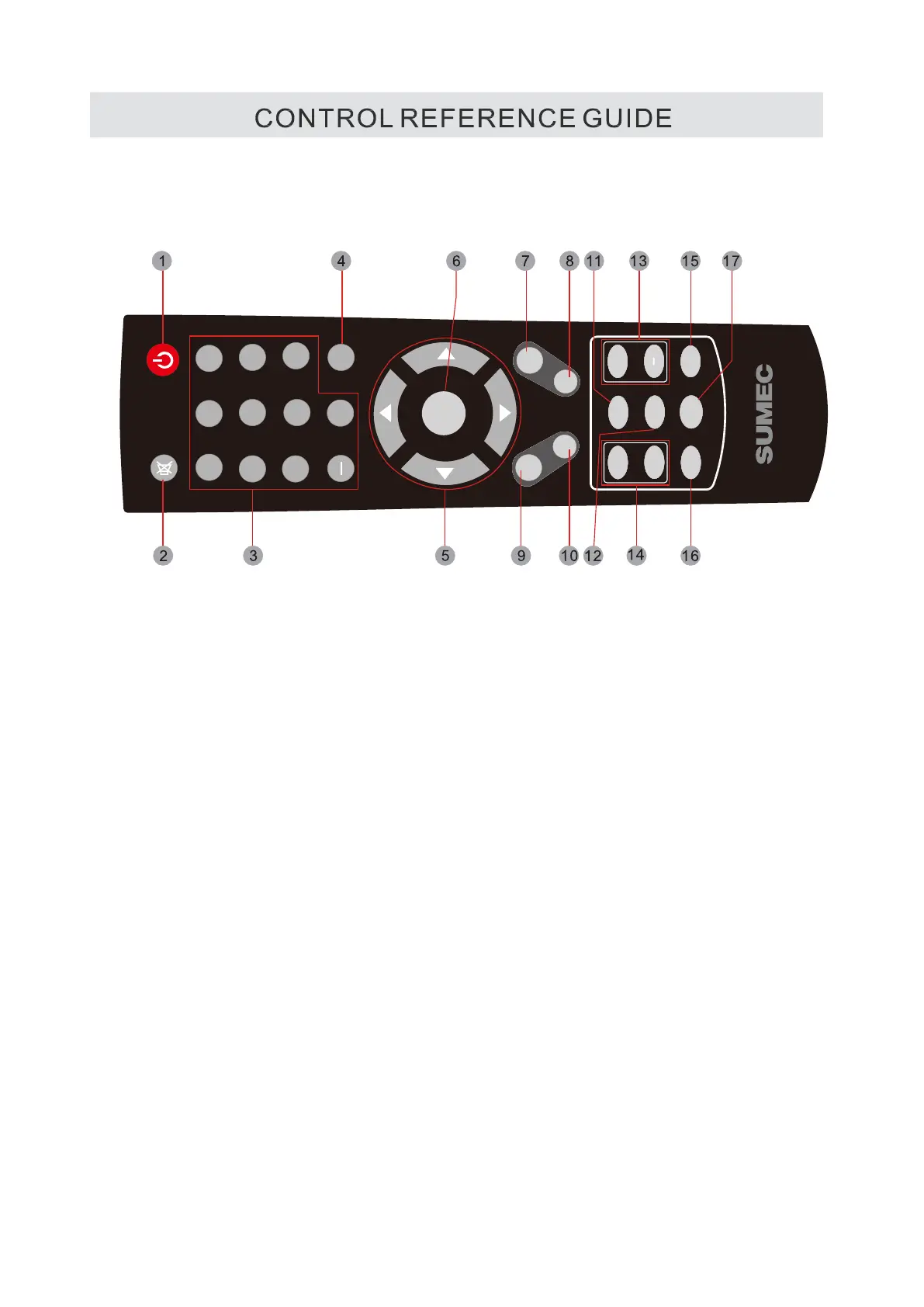
REMOTE CONTROL
1 STANDBY
To switch on the TV or make the TV into standby mode.
2.MUTE
Press this button to mute or restore sound.
3. 0-9/-
Allows you to change the channel of the TV.
4 RETURN
Switches back and forth between the current and
previous channels.
5.UP/DOWN/LEFT/RIGHT
Moves the cursor upward/downward/to the left/to the
right when making a selection.
6.ENTER
Confirmation button, select the OSD menu option.
7
.DISPLAY
Press
to display the information window.
8. EXIT
Press this button to exit the on screen display.
9.MENU
Displays the OSD Menu of the TV.
1O.INPUT
Press to display and select the available video sources.
7) CH LIST
Press to display the Channel List.
8)
FAV LIST
Press this button to show the favourite list.
13.
VOLUME(+/-)
Increases/Decreases the Volume control.
Skips to the next/previous channel on TV mode.
15.
SLEEP
To select the amount of time before your TV turns
Off automatically.
16.
PMODE
Press to select the picture mode.
17.
SMODE
Press to change the audio mode.
4
1 2
3
4
5
6
7
8
9
0
POWER
MUTE
INPUT
MENU
EXIT
DISPLAY
+
CHANNEL
VOLUME
CH LIST
FAV LIST
PMODE
SLEEP
RETURN
ENTER
︽
︽
SMODE



 To Next Page