PICTURE MENU
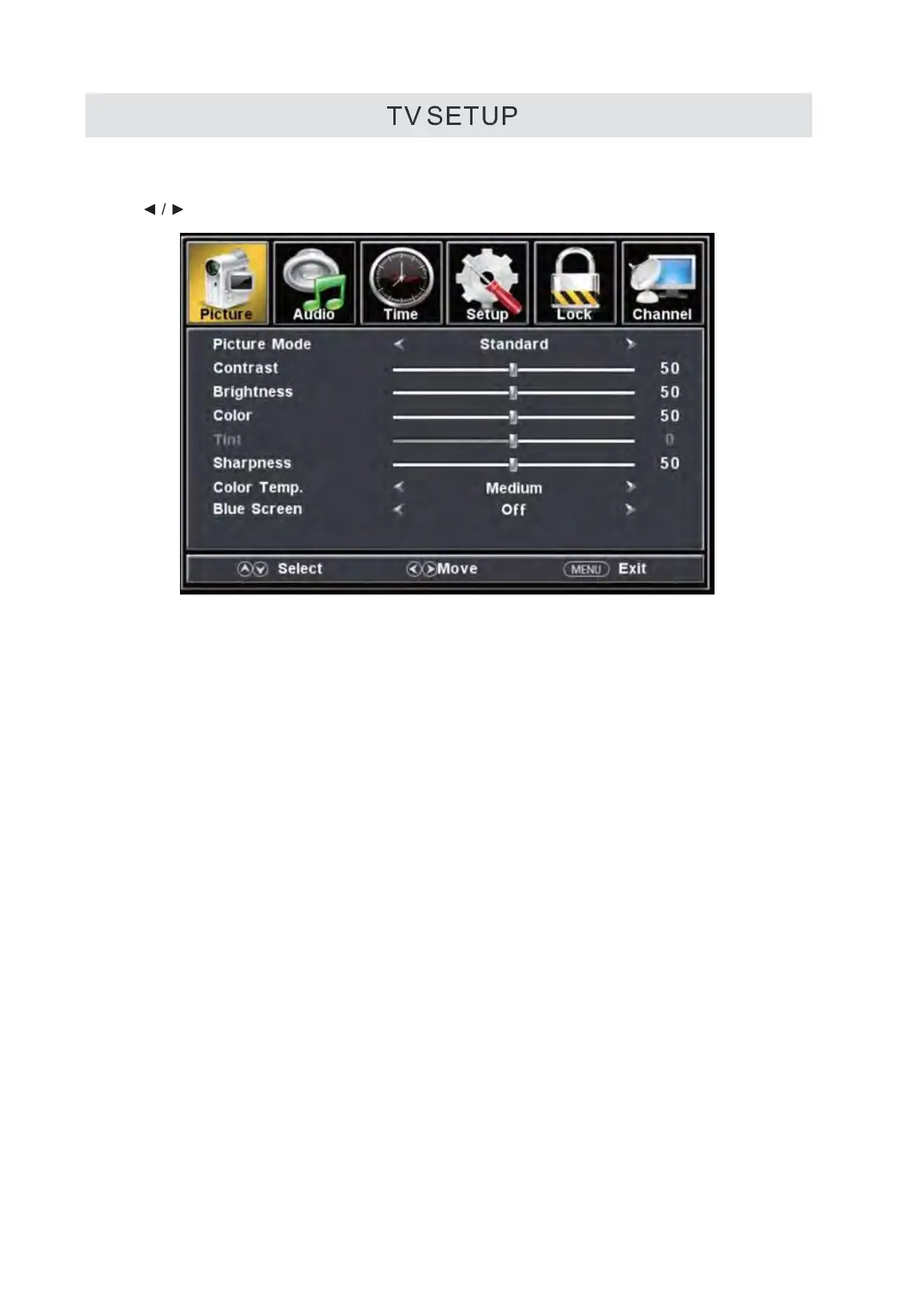
Press MENU button to display the main menu.
Press
button to select PICTURE in the main menu,it will high light the first option.
Picture Mode
This feature changes various color or modes for the TV.
Contrast
This feature changes the difference between dark and bright objects
Brightness
This feature changes the picture's detail in dark colors
Color
This feature changes the amount of color in the picture
Tint
This feature changes the white balance of the color.
Sharpness
This feature changes the picture quality.
Color Temp
This feature adjusts the color temperature of the TV, gi
ving warm, normal
Cool
.
Blue Screen
After opening this option if there is no signal input, the screen turns blue .
14


 To Next Page