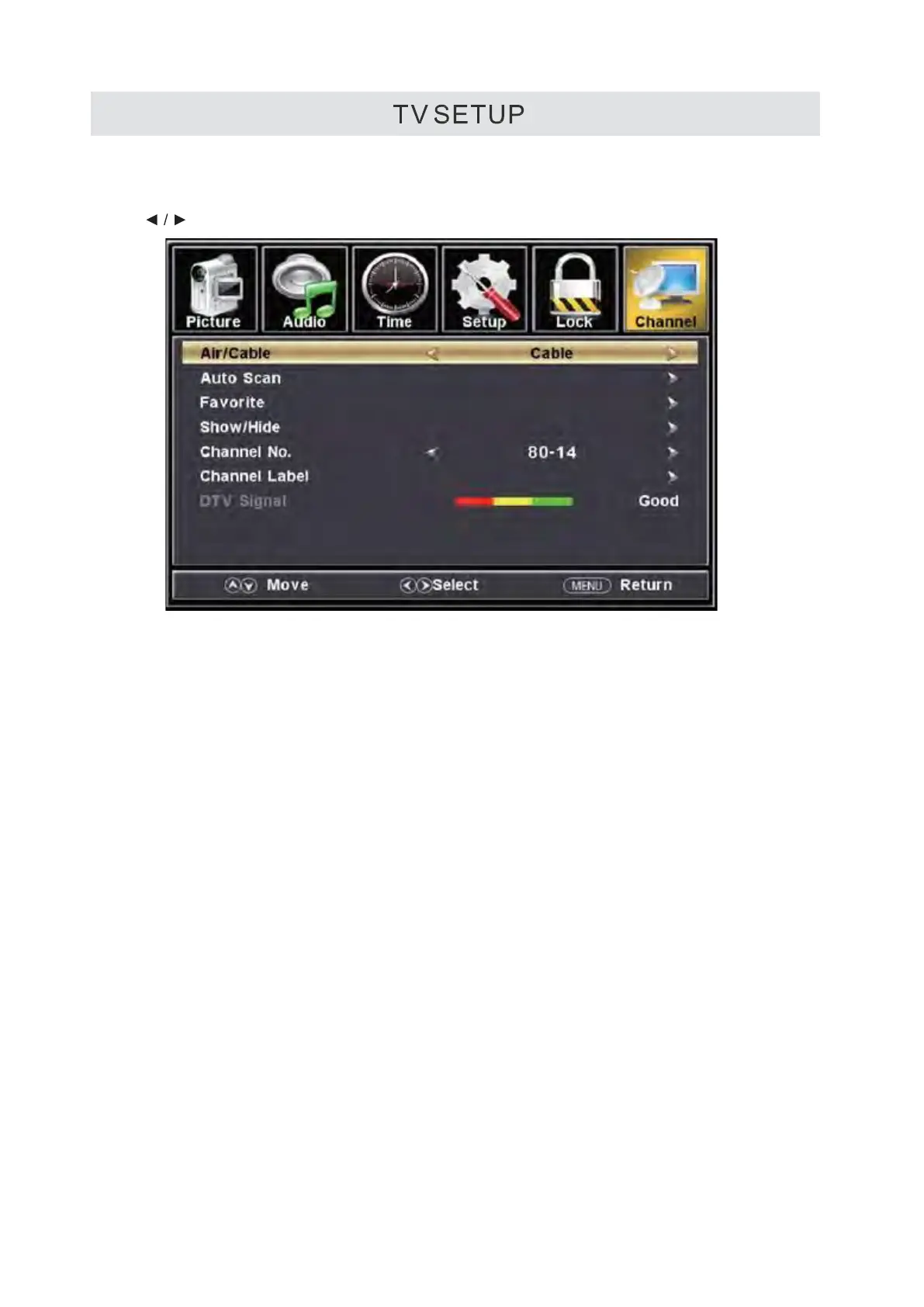
CHANNEL MENU
Press MENU button to display the main menu.
Press button to select CHANNEL in the main menu, it will high light the first option.
Air/Cable
This feature allows you to switch between air(such as using antenna) and cable
Auto Scan
This feature searches channels automatically for you.
Favorite
This feature gives the favorite list of channels added by you.
Show/Hide
This feature tells you if you have chosen for channel to be skipped.
Channel No.
This feature tells you what channel you are currently on.
Channel Label
This feature changes the name of the channel.
DTV Signal
Dynamic display the intensity of DTV
s
ignal, it always stand for the strong level for the DTV. User can not modify them.
Please Note:
The channel options are only available when you select TV as your SOURCE.
When you open the OSD menu on other sources (HDMl, Component, AV PC)
these options will be grayed out.
13


 To Next Page