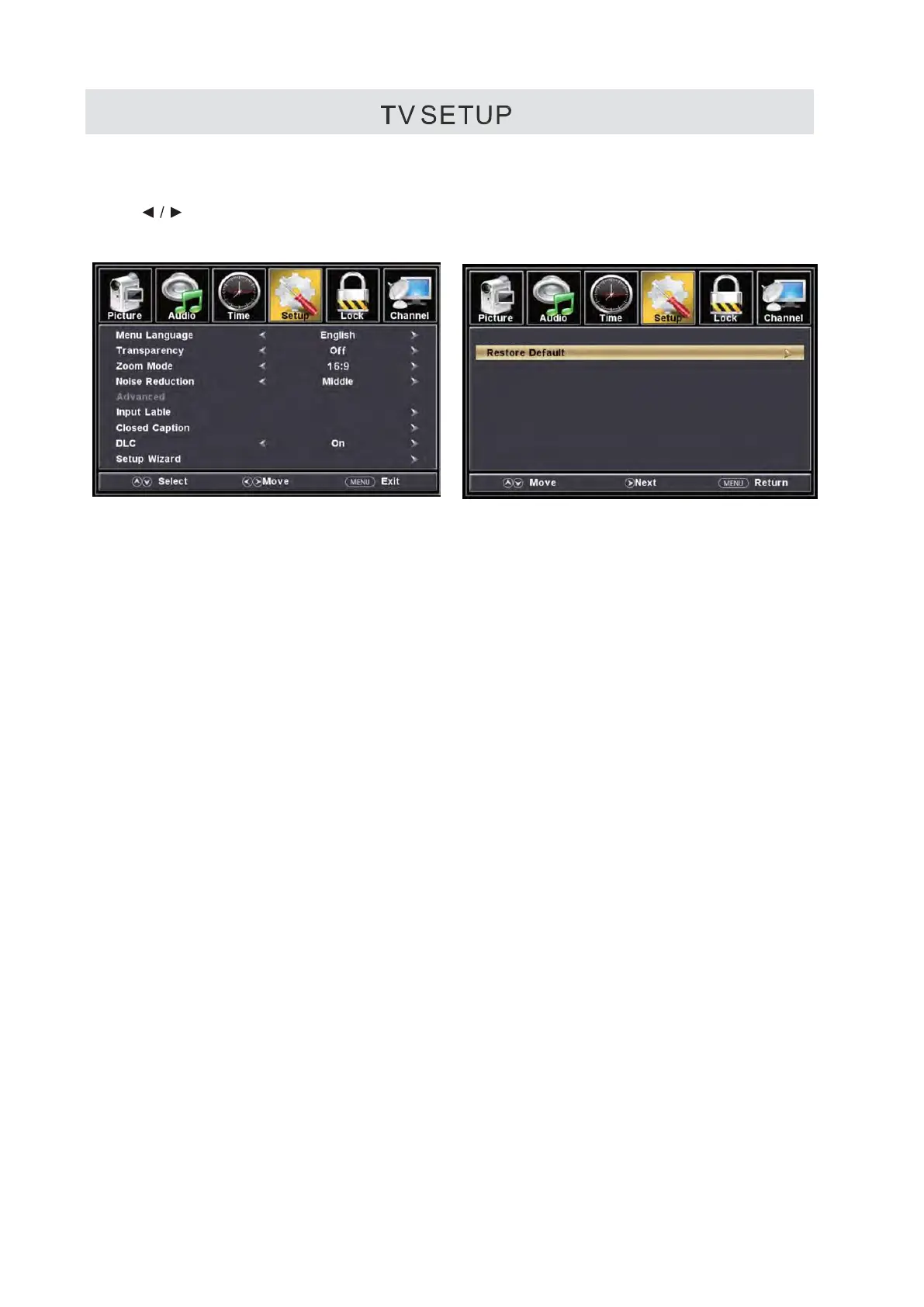
SETUP MENU
Press MENU button to display the main menu.
Press
button to select SETUP in the main menu,it will high light the first option.
Menu Language
Transparency
Zoom Mode
Adjust the show width of picture area on the screen.
Noise Reduction
User fell the picture is not clear enough, then can adjust the value.
Advanced
It always stands for the preliminary menu include further sub page menu.
This option changes the source names to your personal preference.
Closed Caption
User can change the option when the program contains the subtitle.
DLC
Dynamic contrast adjustment. User can turn
on when feel the picture too brightness. It will power saving.
Setup Wizard
This option enables the TV to show you the setup wizard of the TV again.
Restore Default
This option restores all the changes in the OSD menu back to the default factory settings.
Please Note:
Closed captioning is only available under AV and TV ports.
Closed captioning depends on your TV program’s support. Sometimes due to the TV channel or
the signal, closed captioni
n
g will not be available.
In United States, closed captioning under analog signals is CC1.
I n United States, closed captioning under digital signal is Service1.
This option changes the language of the TV’s OSD menu.
This option changes the transparency of the menu allowing background TV images to show through.
17



 To Next Page