25
Latest and greatest
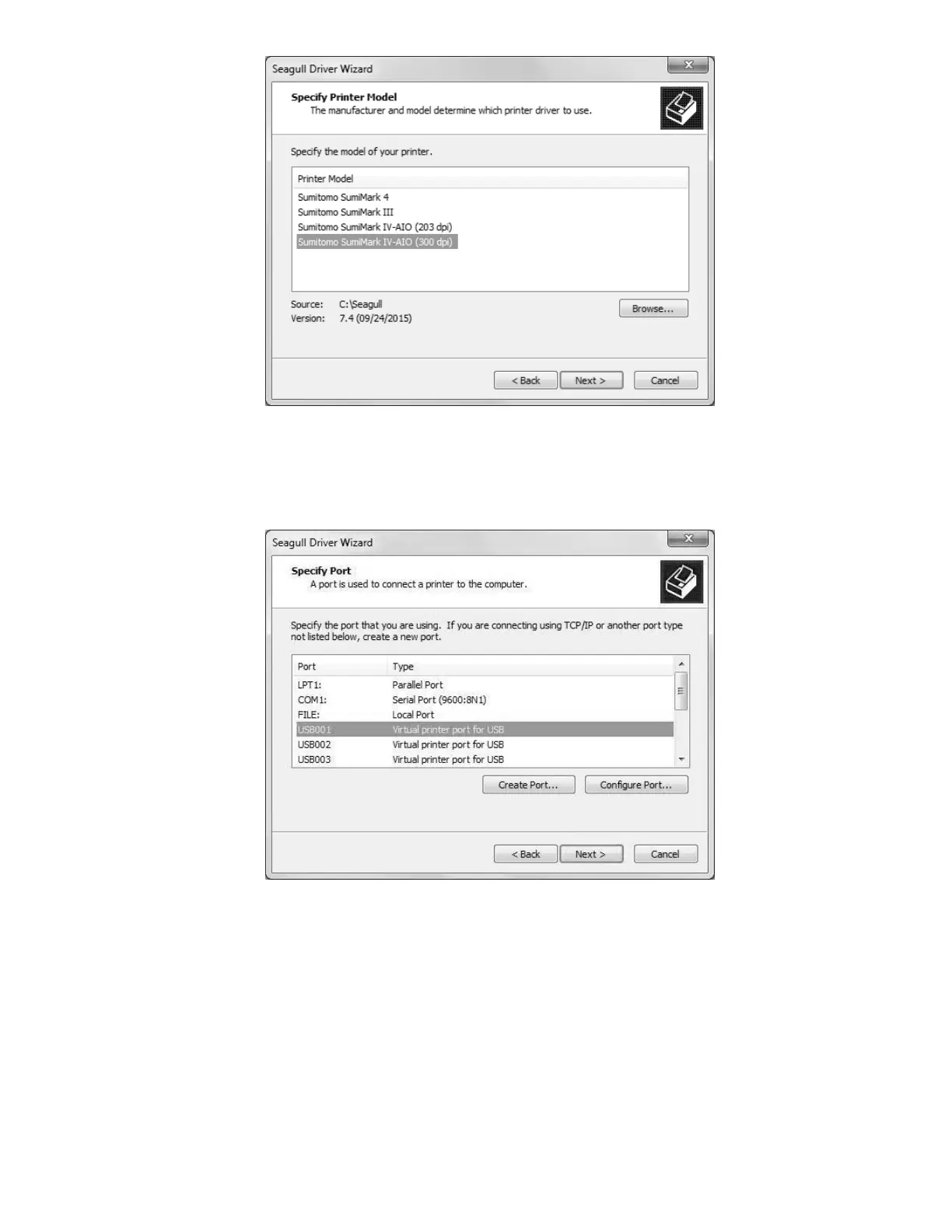
Choose the model of your printer from the list. Note that the “Sumitomo SumiMark 4” driver
is not compatible with the SumiMark
®
IV 300dpi.
Virtually a USB port
If you are going to connect your printer and host computer using Ethernet, click on “Create
Port…” and proceed to the section of the manual labeled Print Driver Installation –
Section B (Ethernet). Otherwise, continue with the next picture.
With the printer connected via USB, the computer should automatically have allocated
“Virtual printer ports” for interfacing with the printer. Choose “USB001”, or whichever is the
first not assigned to another printer if you have multiple printers connected.
If there isn’t a “USBXXX” Virtual printer port available, verify that your printer powered on
and is connected via the USB cable to the host computer you are attempting to install the
driver on. Attempt to plug it into another USB port if need be, restarting the Seagull Driver
Wizard if you do try another port.



 To Next Page