42
Serialization
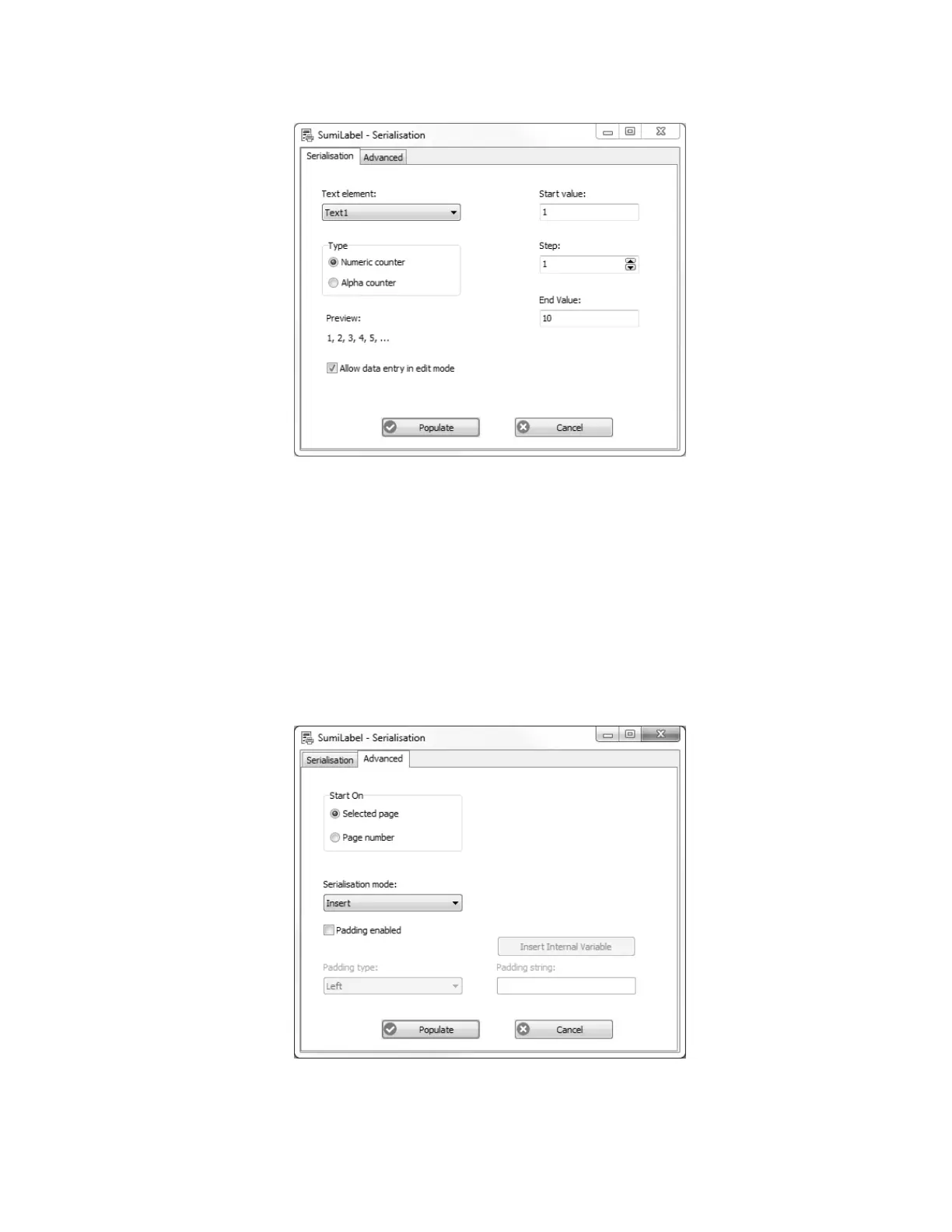
The Serialization tool enables you to quickly generate a sequence of numbered markers,
counting from any number to any other number you please.
The “Start Value” and “End Value” serve as the bookends, between which the tool will fill
the empty space with all the intervening markers. The “Step” value defines how much the
tool will count from marker to marker. The Preview shows the result of the current settings.
For multi-line markers, you can choose which of the text elements is to be serialized, and
using the “Padding” field, you can define a static, unchanging prefix or postfix for your
serialization. Bear in mind, however, that all other text lines on the generated markers will
be blank.
The Advanced tab of the Serialization tool might seem sparse at first glance, but the power
behind the Padding feature justifies the Advanced designation.
Once you check “Padding enabled”, you’ll find the “Padding type” and “Padding string”
sections unlocked and ready for input.



 To Next Page