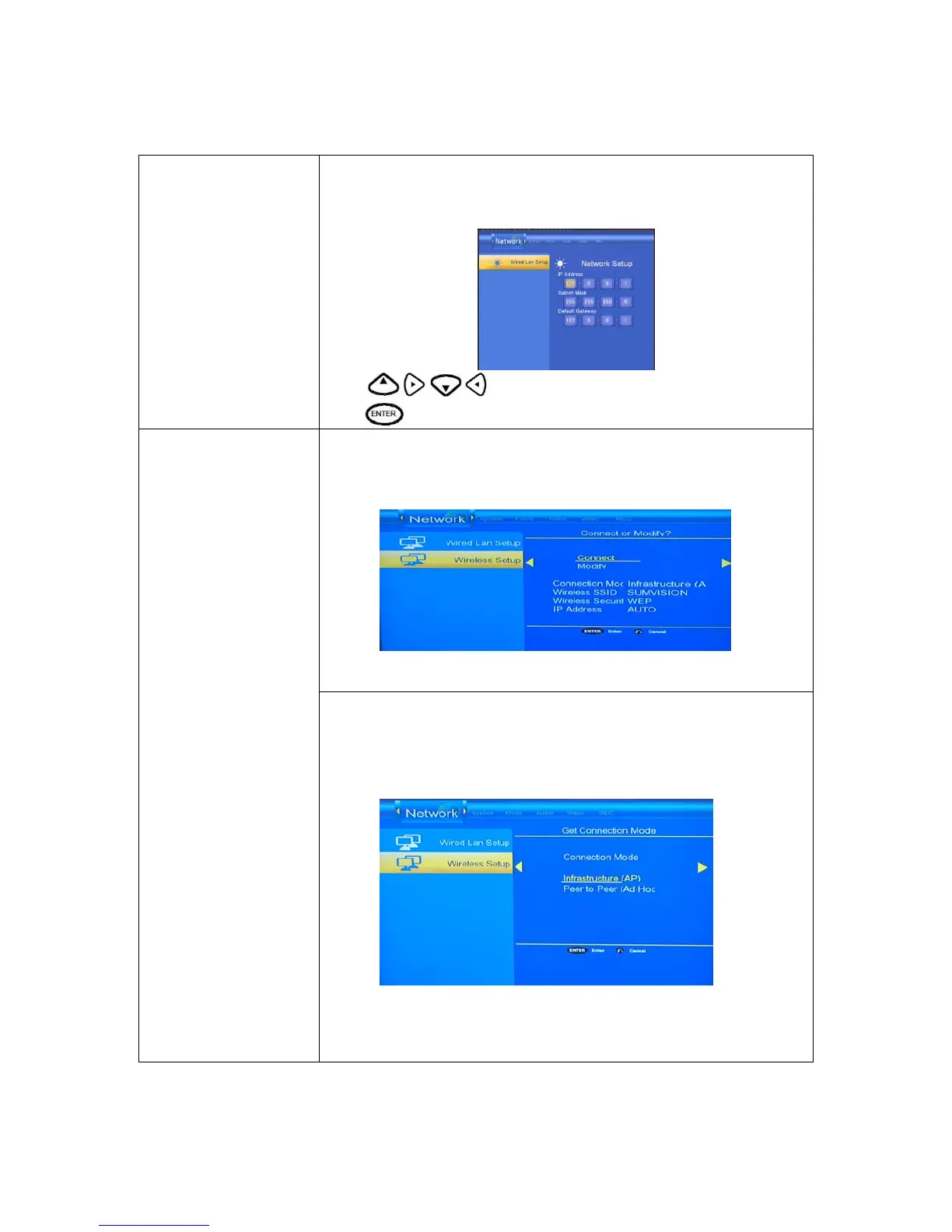
FIX IP (MANUAL)
Using Fixed IP, it is required to enter followings. IP address, Subnet Mask,
Default Gateway. For further assistant to above settings, please contact to the
network administrator.
Press to enter the IP address.
Press
to confirm.
wireless setup
1、select “connect ”to confirm then it can connect to network by auto
2、Select “modify” to others setup
Wireless setup
Modify
Select “Infrastructure(AP)”to confirm and enter menu ,then select
“Auto”to connect to network and will get the IP address by auto, you
also select others to setup
Note:
wireless only support to Realtek chipset solution (RTD8187 chipset)
Cyclone HD cannot support any other manufacturer network dongle.



 To Next Page