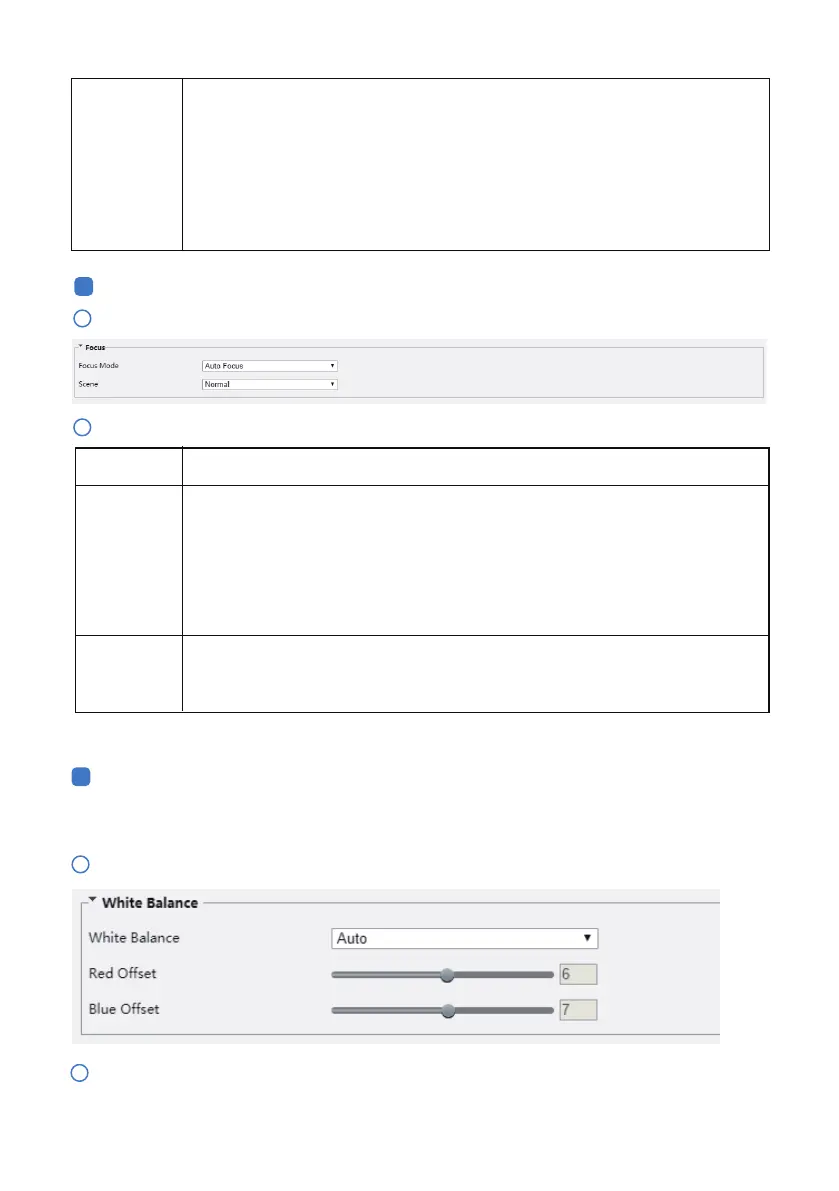
Click Setup > Image > Image and then click Focus.
1
Click Setup > Image > Image and then click White Balance.
1
Select a white balance mode as required. The following table describes some major parameters.
2
Select the focus mode as required.
2
Focus
White Balance
Description
Focus Mode
Scene
Parameter
White balance is the process of osetting unnatural color cast in images under dierent color tempera-
tures so as to output images that best suit human eyes.
4
5
- 12 -
Illumination
Level
Set the intensity level of the IR light. The greater the value, the higher the intensity. 0
means that the IR light is turned o.
Near-illumination Level: You are recommended to set this parameter first for a
wide-angle scene.
Mid-illumination Level: You are recommended to set this parameter first if the scene
requires an intermediate focal length.
Far-illumination Level: You are recommended to set this parameter first if the scene
requires a telephoto view.
Normal: Used for common scenes, such as road and industrial park.
Long Distance: Used for long-distance monitoring on a road. For example, when the
camera is installed over 30 meters high to monitor a distant road intersection.
Auto Focus: The camera focuses automatically according to the current light
condition.
Manual Focus: Manually adjust camera focus as required.
One-Click Focus: The camera is triggered to focus once when rotating, zooming or
going to a preset.
One-Click Focus (IR): In a low light condition such as during night hours or in a dark
house, this focus mode achieves better eects with the IR light turned on.



 To Next Page