SunFounder PiCrawler Kit
• Don’t Have Temporarily Monitor (or TV)?
Have Temporarily Monitor (or TV)?
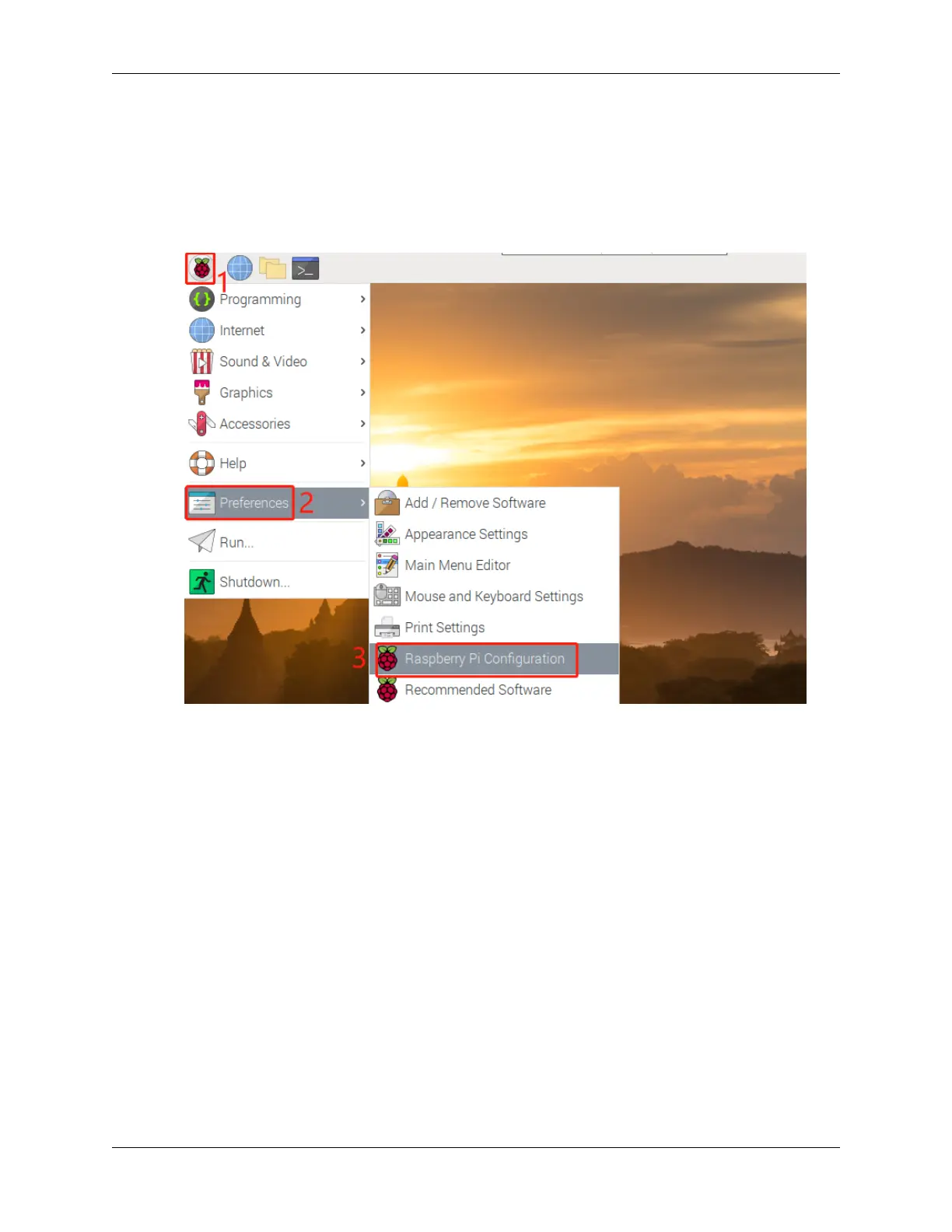
1. Connect a monitor (or TV), mouse and keyboard to the Raspberry Pi and power it on. Select the menu according
to the numbers in the figure.
2. The following screen will be displayed. Set VNC to Enabled on the Interfaces tab, and click OK.
18 Chapter 3. Play with Python



 To Next Page