SunFounder PiCrawler Kit
3.2 Calibrate the PiCrawler
Due to possible deviations during PiCrawler installation or limitations of the servos themselves, some servo angles
may be slightly tilted, so you can calibrate them.
Of course you can skip this chapter if you think the assembly is perfect and doesn’t require calibration.
The specific steps are as follows:
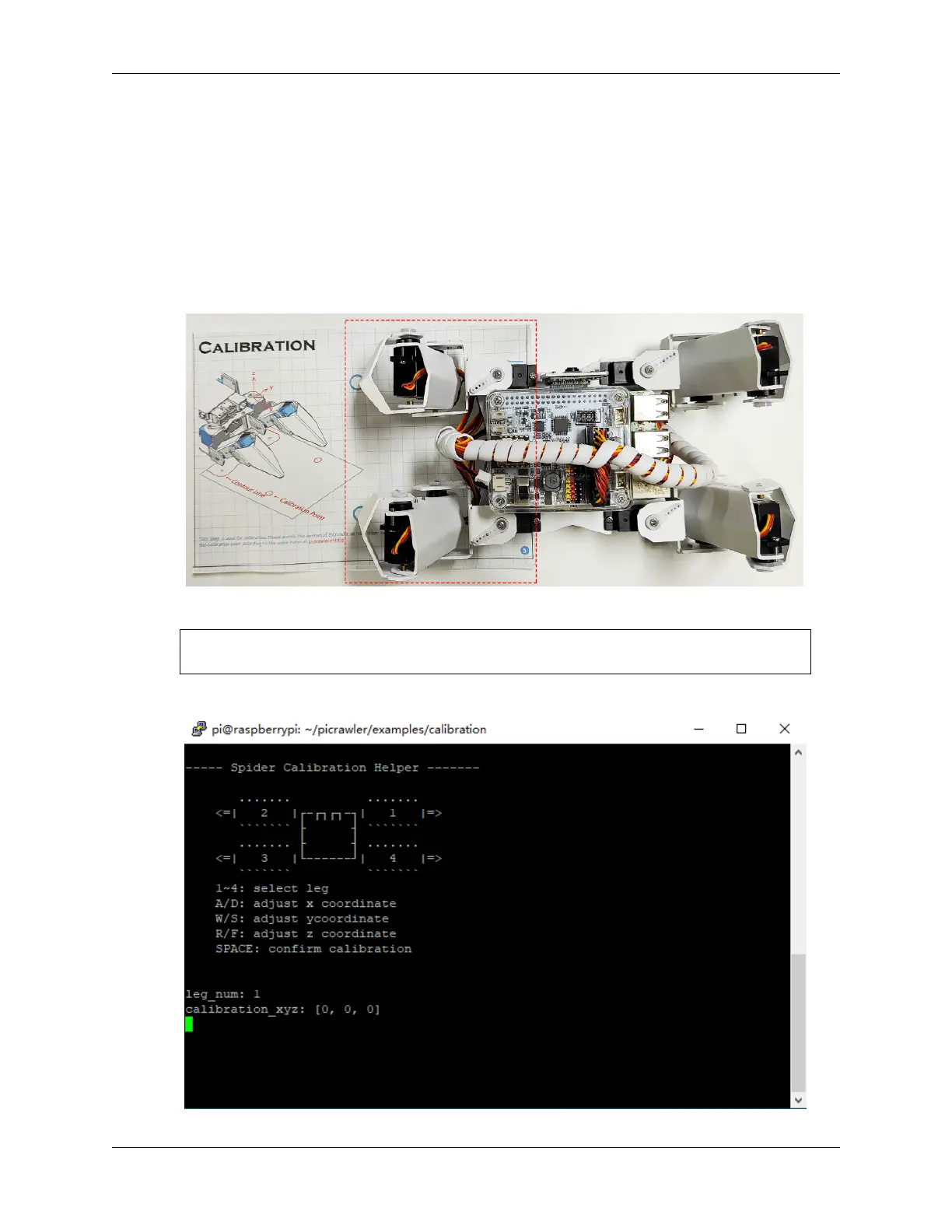
1. Take out the assembly leaflet, turn it to the last page, and lay it flat on the table. Then place the PiCrawler as
shown below, aligning its bottom with the outline on the calibration chart.
2. Run the calibration.py.
cd /home/pi/picrawler/examples/calibration
sudo python3 calibration.py
After running the above code, you will see the following interface displayed in the terminal.
44 Chapter 3. Play with Python



 To Next Page