SunFounder PiCrawler Kit
Note: If you get an error, try re-enabling the Raspberry Pi’s I2C port, see: i2c_config.
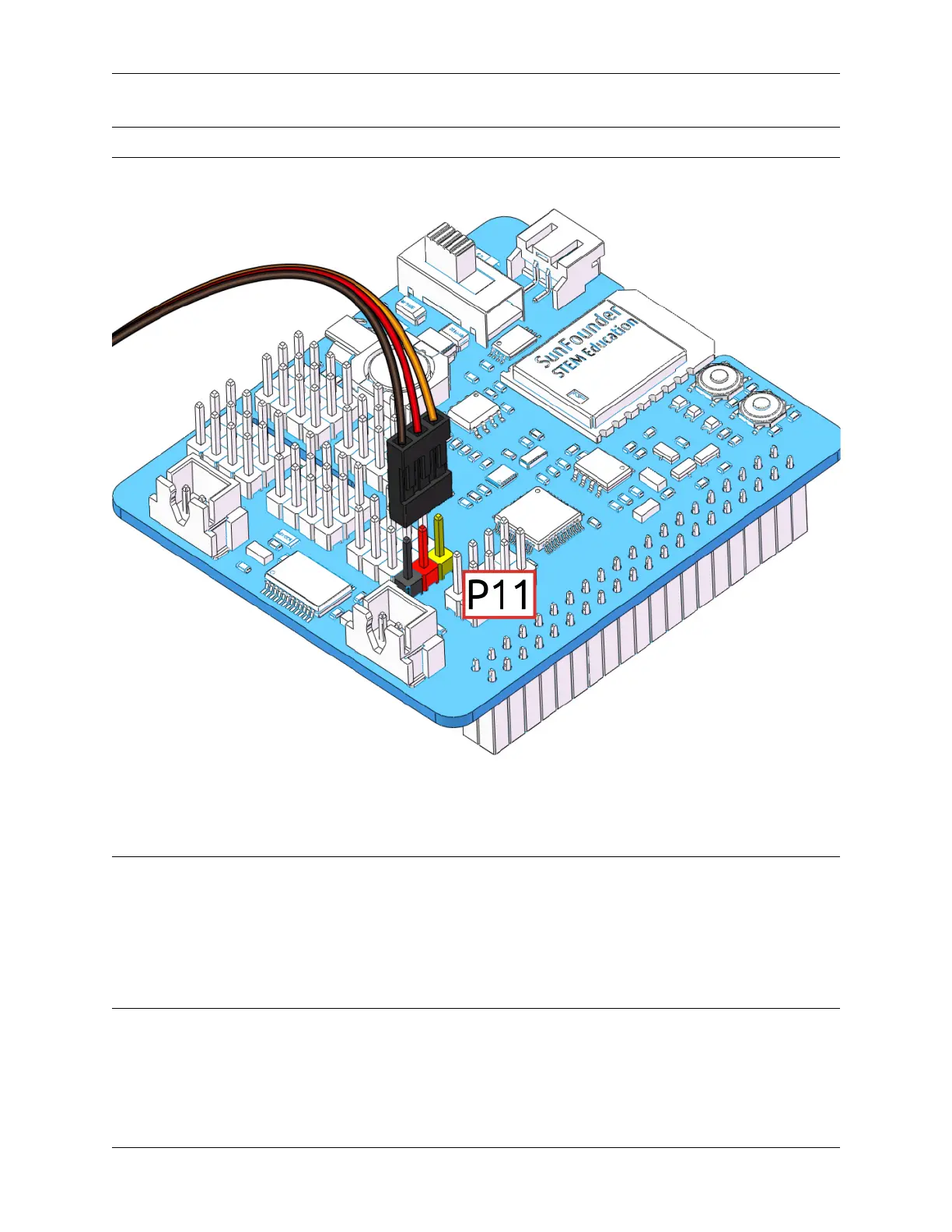
Next, plug the servo cable into the P11 port as follows.
At this point you will see the servo arm rotate to a specific position (0°). If the servo arm does not return to 0°, press
the RST button to restart the Robot HAT.
Now you can continue the installation as instructed on the assembly foldout.
Note:
• Do not unplug this servo cable before fixing it with the servo screw, you can unplug it after fixing it.
• Do not rotate the servo while it is powered on to avoid damage; if the servo shaft is not inserted at the right
angle, pull the servo out and reinsert it.
• Before assembling each servo, you need to plug the servo cable into P11 and turn on the power to set its angle
to 0°.
3.1. Quick Guide on Python 43



 To Next Page