SunFounder PiCrawler Kit
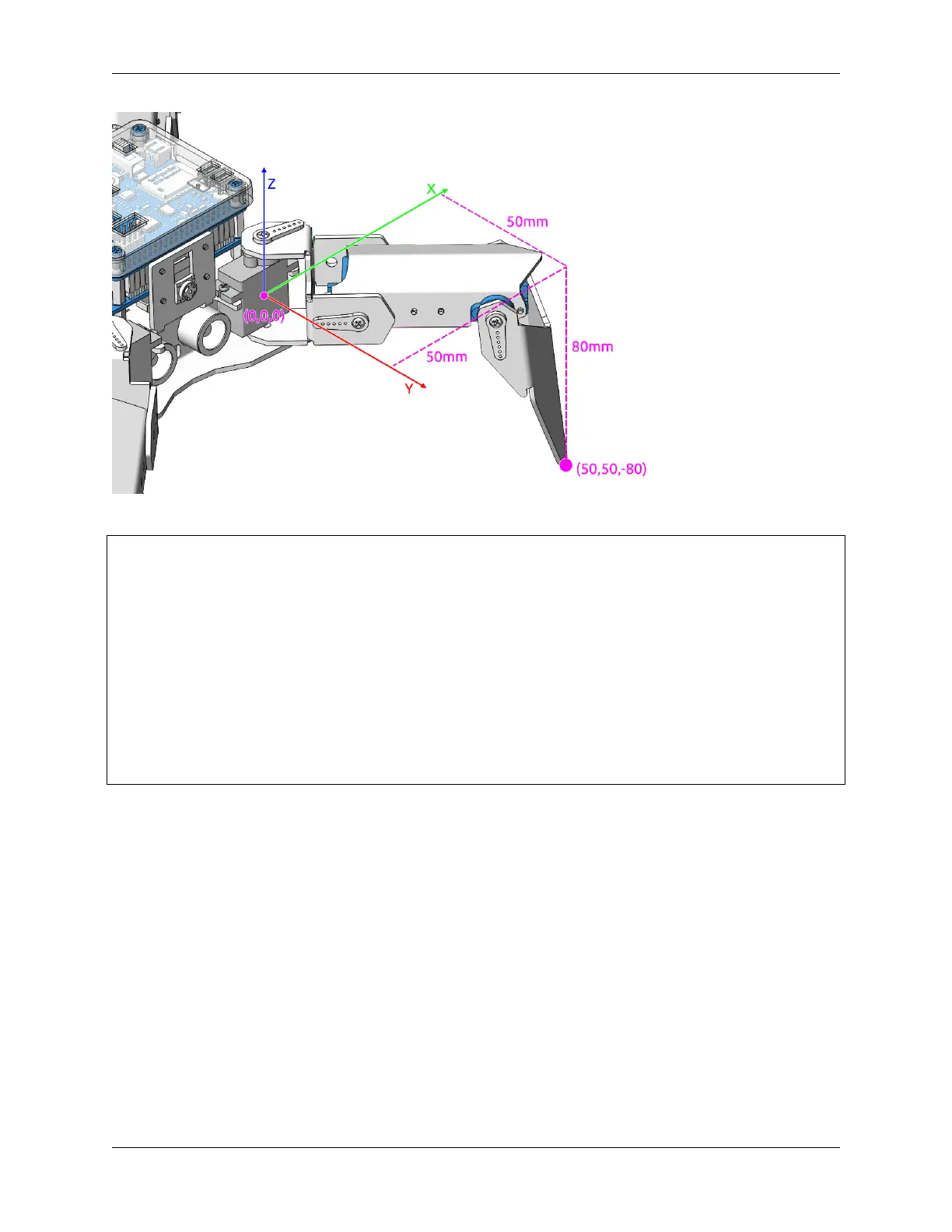
By the way: the step_list called in the first method also consists of an array containing 4 coordinate values.
step_list = {
"stand":[
[50, 50, -80],
[50, 50, -80],
[50, 50, -80],
[50, 50, -80]
],
"sit":[
[50, 50, -33],
[50, 50, -33],
[50, 50, -33],
[50, 50, -33]
],
}
3.12 Adjust Posture
In this example, we use the keyboard to control the PiCrawler foot by foot and assume the desired posture.
You can press the space bar to print out the current coordinate values. These coordinate values come in handy when
you create unique actions for PiCrawler.
74 Chapter 3. Play with Python



 To Next Page