SunFounder PiCrawler Kit
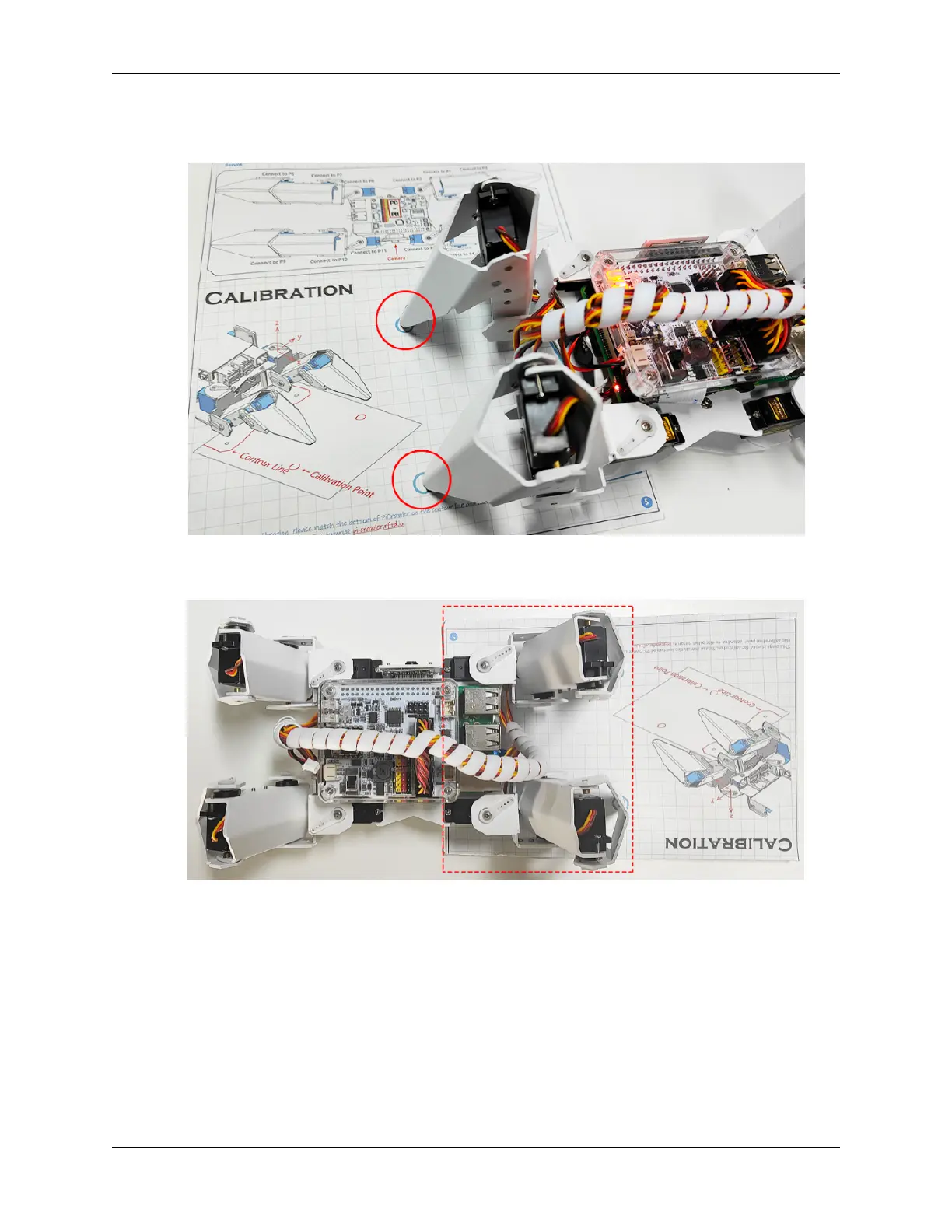
3. Press 2 and 3 keys respectively to choose left 2 legsthen press w, a, s, d, r, and f keys to move them to the
calibration point.
4. Now, change the calibration paper to the right and press the 1 and 4 keys to choose right 2 legs, then press w, a,
s, d, r, and f keys to move them to the calibration point.
5. After the calibration is completed, press the space key to save, you will be prompted to enter Y to confirm, and
then ctrl+c to exit the program to complete the calibration.
3.2. Calibrate the PiCrawler 45



 To Next Page