SunFounder TS-10 10.1-inch Touch Screen
Arrange monkeys and bananas
First, we delete the original sprite, then add Monkey sprite and Bananas sprite, and change their sizes to 50.
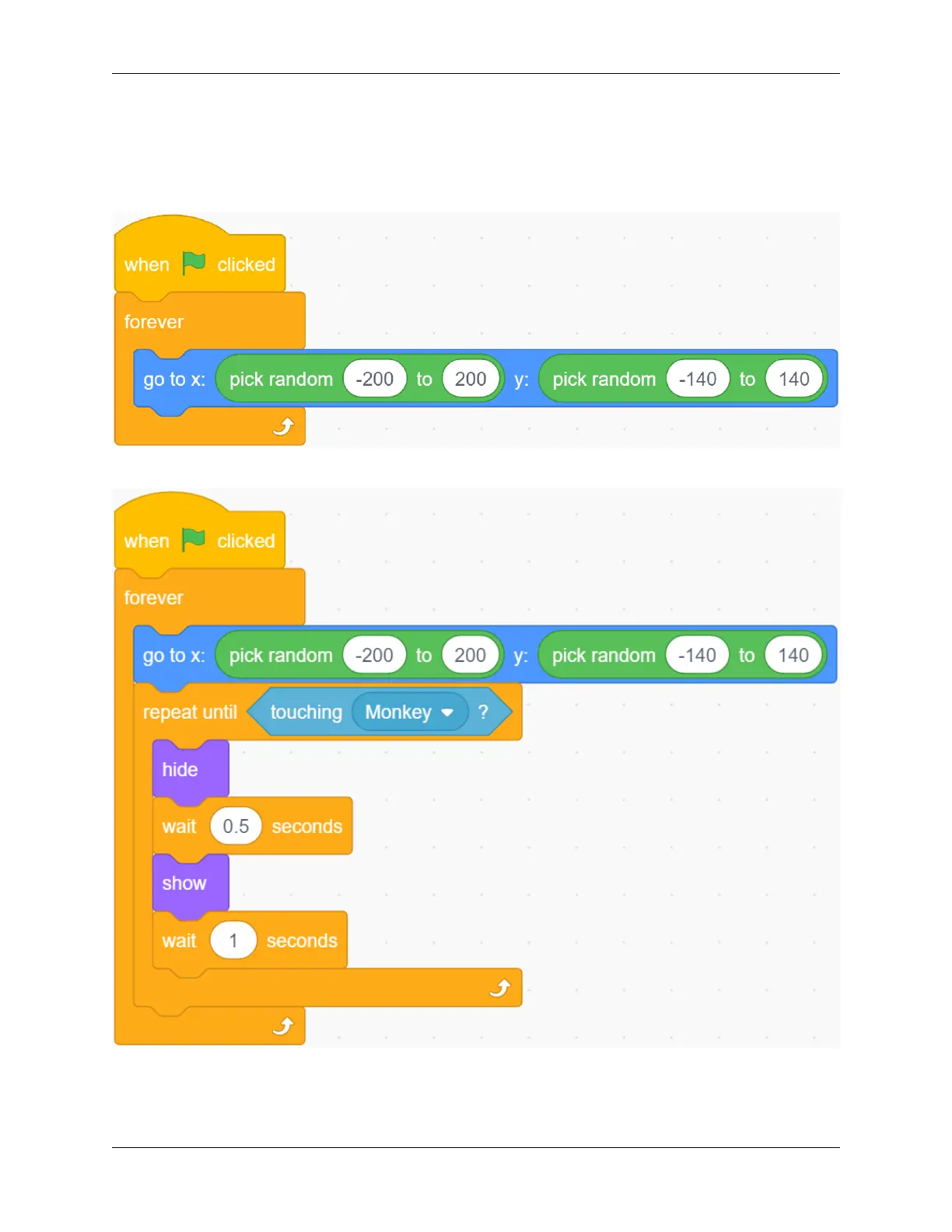
Let Bananas appear randomly.
Bananas disappears after encountering the Monkey, which means it was eaten by the Monkey and reappears randomly.
Let the Monkey appear in the center of the stage and initialize the camera data (transparency is set to 20).
5.7. Scratch Projects 181



 To Next Page