CHAPTER
ONE
HARDWARE DESCRIPTION
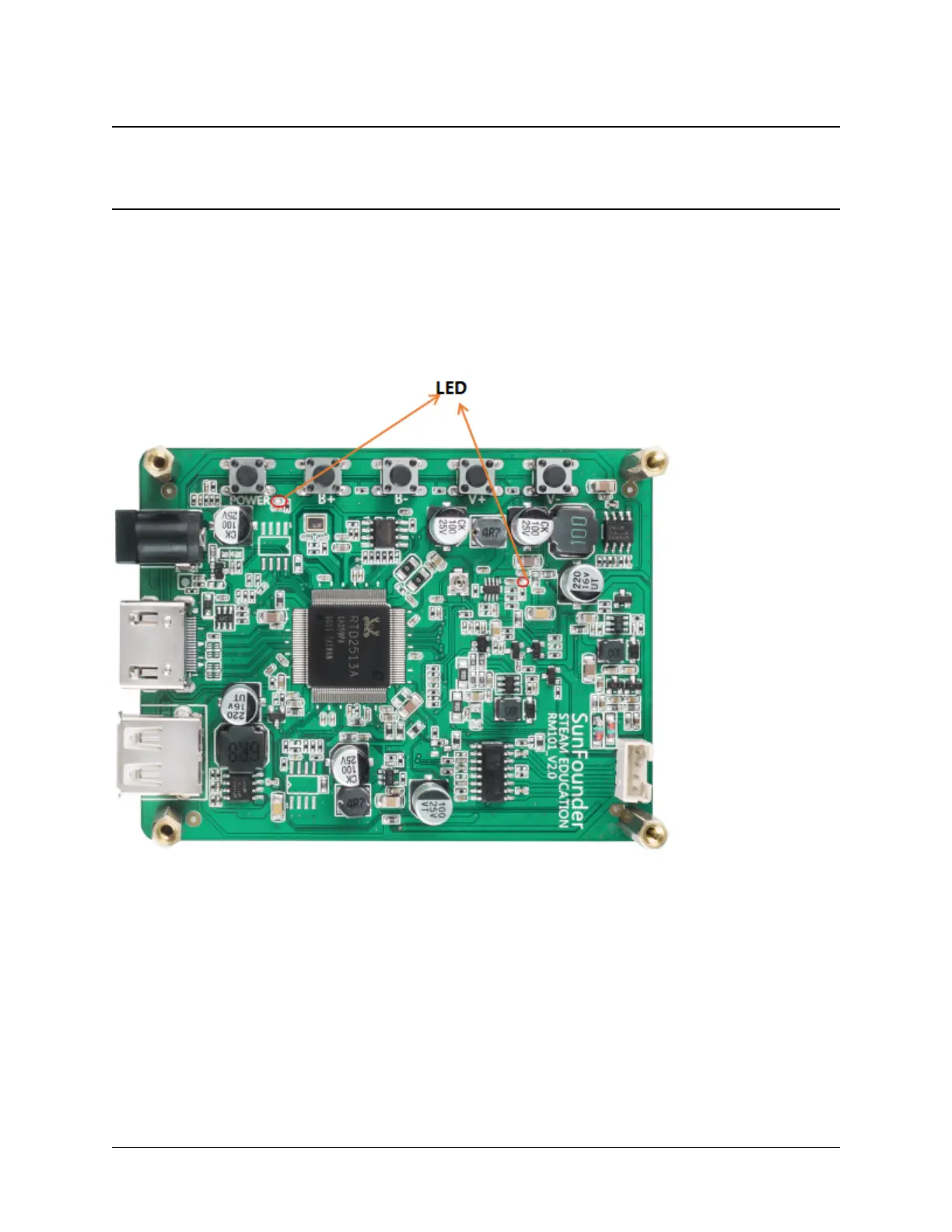
LED Indicators
There are 2 LED indicators on the main board of the screen to show different signals:
• Power on the screen, after the green LED flashes one time, it lights on continuously; and the red LED lights on
immediately.
• If there’s no HDMI signal, only the red LED will turn on.
• If there’s an HDMI signal, these two LEDs will turn on.
• If you press the power button, the green LED will turn off and the red LED will keep turning on.
• If you remove the power cord, both of the two LEDs will turn off.
Buttons
Buttons on the main board and their functions:
3



 To Next Page